
InteleGates Guide
Gate Openers: How to Choose and Service an Existing System
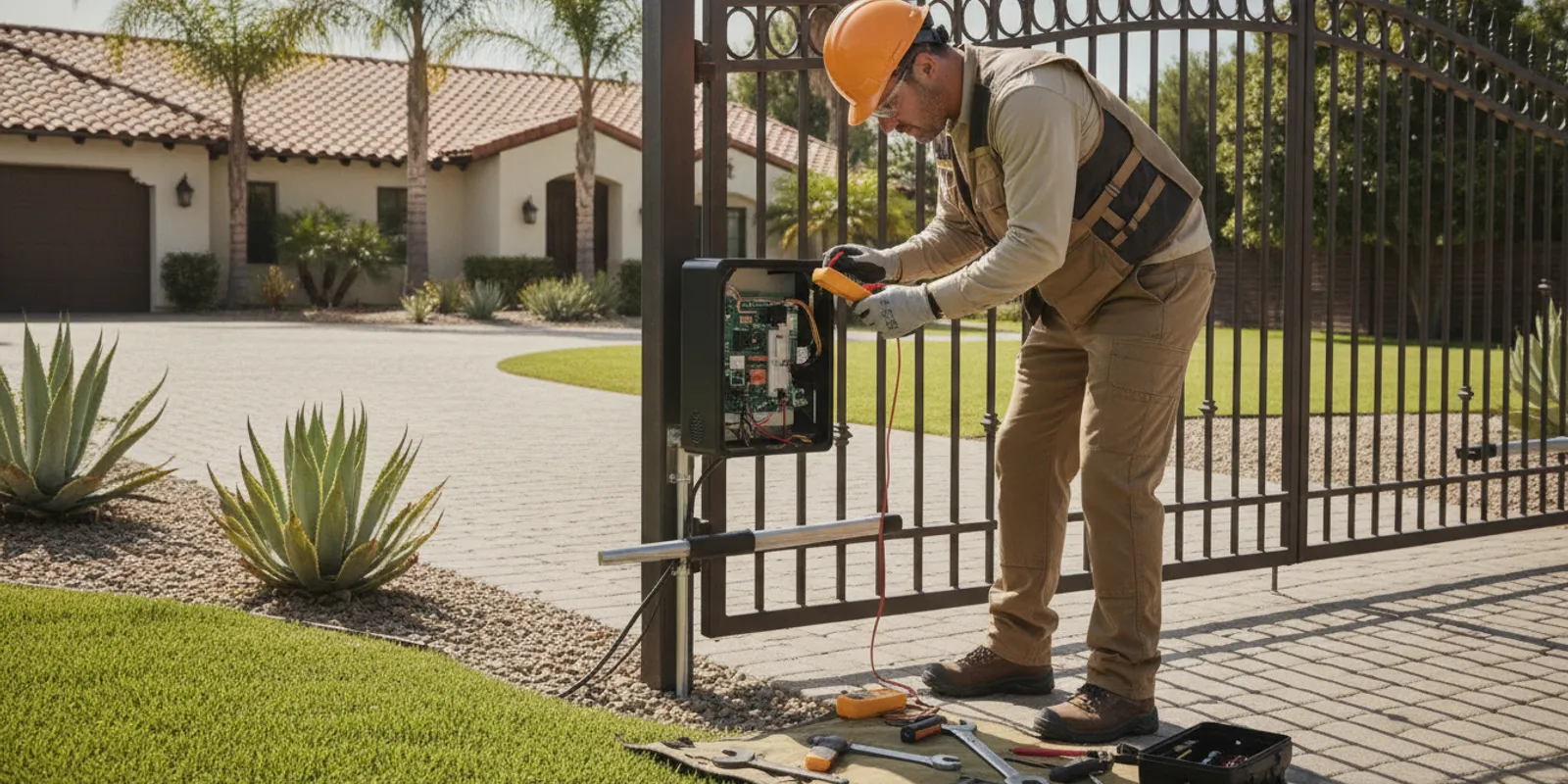
Gate openers make an existing gate move with an electric operator and related controls. If yours hesitates, stops, or responds inconsistently, the opener may not be the only part involved. The gate, power supply, safety devices, and access controls all affect operation. This guide explains what to observe and what a technician needs to evaluate before repair or replacement.
Request service for your existing gate system
What does a gate opener include?
People often use “gate opener” to mean the motor alone. In practice, an electric gate system is a group of connected parts. The operator supplies movement, but it depends on the gate moving freely and on controls and safety devices working as intended. A technician looks at the system as a whole rather than assuming the motor is at fault.
Depending on the gate, the equipment may include an operator, control board, wiring, power source, access device, and sensors. A sliding gate and a swing gate move differently, so their operators and installation details are not interchangeable. Barrier arm and vertical lift applications have their own operating arrangements as well.
The access method is another part of the experience. A property may use a keypad, intercom, telephone entry, card reader, remote control, or a combination. InteleGates services automation equipment for existing gates and access control systems. Thinking of the opener as one component in a larger system makes troubleshooting more accurate.
Which details should you check before choosing an opener?
There is no single opener that fits every existing gate. An appropriate recommendation depends on the gate itself, its movement, use, and the equipment already installed. Gather observations rather than selecting a motor from a label or a brief description.
- Gate movement: Note whether the gate slides, swings, lifts vertically, or uses a barrier arm. Record whether it moves smoothly by hand only if it is safe and intended to do so; do not force it.
- Current equipment: Look for a manufacturer name and model number on the operator or control enclosure, if visible without opening or disturbing anything. A clear photo can help identify the equipment.
- Operating pattern: Estimate how often the gate cycles during a typical day and whether use changes at particular times. A shared entrance may see a different pattern from a private driveway.
- Power and surroundings: Note any recent electrical work, outage, water exposure, impact, or changes near the gate. Do not handle exposed wiring.
- Controls and symptoms: Record which access devices work, which do not, and whether the problem occurs from every control or only one.
These details help a technician understand the application, but they do not replace an on-site review. A label alone cannot show whether the gate is binding, whether a safety device is interrupting movement, or whether controls communicate correctly with the operator.
How do gate type and movement affect the application?
The gate has to move properly before an operator can do its job. If hinges are worn, a track is obstructed, a wheel is damaged, or the gate is out of alignment, the operator may strain or stop. An operator that appears weak can therefore be responding to a mechanical problem elsewhere in the assembly.
Sliding gates travel along a track or another supported path. A technician checks for consistent movement and signs that the gate is dragging or meeting resistance. Swing gates rotate on hinges. Their travel path, mounting points, and the way the gate sits when closed all matter. Barrier arms and vertical lift gates have different movement and support needs, so the equipment must suit the particular application.
Do not try to correct alignment or adjust the operator based on a generic online diagram. The gate can be heavy, and the operator and electrical controls have moving parts and stored energy. Keep people clear of a malfunctioning system and request qualified service when it binds, drops, moves unexpectedly, or makes a new grinding or straining sound.
It is also important to separate a gate’s physical movement from the command that starts it. The access device sends a request, while the operator and its controls manage movement. A failure at any point can look similar from the driveway. For example, a gate that does not move after a keypad entry may have a device issue, a control issue, or a movement problem that prevents completion. The observation is helpful; it is not proof that a particular part has failed.
Changes in the environment can be useful clues. New landscaping near the travel path, debris after a storm, a recent impact, or work on nearby electrical equipment may be relevant. Do not remove covers or reach into the mechanism to investigate. Take a photograph from a safe distance and describe what changed. This gives the technician context without requiring you to handle the equipment.
For help with a system that no longer opens or closes reliably, see the service information for electric gate repair. For a gate that works but needs a planned inspection, the maintenance service page describes the relevant service path.
What symptoms can help narrow down a problem?
A symptom is a useful clue, not a confirmed diagnosis. Several faults can produce similar behavior. Note exactly what happens, when it happens, and whether the same result occurs from different entry controls.
| What you observe | What it may help a technician investigate | Useful detail to record |
|---|---|---|
| Nothing happens from any control | Power, operator controls, wiring, or a system-wide interruption | Whether the operator display or indicator appears active, and whether there was a recent outage |
| One keypad, remote, or entry device fails | The individual device, its power, settings, connection, or communication with the operator | Which devices still work and whether the failure began suddenly |
| Gate starts, then stops or reverses | Gate movement, operator settings, safety devices, or an obstruction | Where in its travel it stops and whether the behavior changes over repeated attempts |
| Movement is slower, uneven, or noisy | Mechanical resistance, wear, mounting, or operator performance | When the sound began and whether it occurs while opening, closing, or both |
| Gate moves but entry control is inconsistent | Access device, wiring, signal, or control configuration | The control used, distance or location, and any pattern in the failures |
These are discussion points, not do-it-yourself fault codes. Avoid repeatedly cycling a gate that is stuck, making unusual noises, or moving erratically. Repeated attempts can worsen a mechanical or electrical fault. If the system is unsafe to approach, keep clear and explain the condition when you request service.
Why can the access device look like an opener failure?
A keypad or intercom may be the part a person interacts with, but its failure does not necessarily mean the operator is faulty. The device may have a local power or connection issue. A working access device can also send a request that the operator cannot complete because of a separate problem with power, control, movement, or a safety input.
Compare the behavior across available devices without opening panels or changing wiring. If one keypad fails while another approved control still works, tell the technician. If every control has the same result, that points to a broader system condition but still does not identify the cause by itself.
Telephone entry, buzzer systems, and other access equipment can require their own diagnosis. Explore information about telephone entry systems, gate buzzer systems, and intercom service if the access device is central to the issue. An installer or technician can assess how the device connects to the operator and which part is preventing normal use.
How do sensors and safety devices affect operation?
Sensors and other safety devices are part of the system’s operation, not optional extras to ignore when a gate stops. A detected obstruction or a device fault may affect how the operator responds. If the gate pauses or reverses, note whether anything was near its path and whether the behavior happens at a particular point. Do not cover, disconnect, or bypass a sensor to make the gate move.
Some properties also use an underground vehicle loop sensor to detect a vehicle at a particular location. A problem with detection may be mistaken for an opener fault if the gate does not respond as expected. Record where the vehicle was positioned and what happened, rather than repeatedly driving over or testing the area. A technician can assess whether the sensor, its connection, the operator, or another part of the control sequence needs attention. Learn more about underground vehicle detection as a component of an automated entrance.
What should a technician inspect before recommending work?
A useful diagnosis begins with the reported symptom and a review of the equipment in place. The technician can observe the gate’s travel, inspect the operator and visible mounting, and assess relevant controls and sensors. The specific checks depend on the gate and the reported condition. Diagnosis should establish what is failing before deciding whether an adjustment, repair, maintenance, or replacement is appropriate.
A government investigation guideline for automatic gate operators calls for visually examining the gate system, hardware, and operator for signs such as loose or broken attachments and bending. Read the guideline. This supports a basic point: an inspection should consider the surrounding system, not just the motor housing.
In addition to observing gate movement, a qualified technician may need to check the relevant electrical and control components, safety-device response, connections, and the relationship between the operator and access equipment. Do not open electrical enclosures or bypass a sensor to test the gate. A technician can evaluate the system with suitable procedures and equipment.
A service visit is more useful when the original symptom can be reproduced and described. If the problem happens only once in a while, share the time of day, the control used, and what the gate did immediately before and after. If more than one person uses the entrance, ask them to report observations rather than repeatedly testing it. A short, consistent account can help distinguish an intermittent issue from a condition that occurs on every cycle.
For properties with several entry methods, make a simple list of the devices in use and their behavior. For example, note whether a keypad sends a command, whether an intercom call reaches the occupant, and whether a remote control behaves differently. Do not change settings while gathering these details. The technician can determine whether the issue is isolated to one device or shared across the system.
InteleGates provides LiftMaster operator repair and service across its stated Los Angeles and Orange County service area. The brand page is useful if a LiftMaster label is visible, but diagnosis still depends on the entire installed application and actual symptoms.
When does repair make sense, and when might replacement be considered?
Repair and replacement are not interchangeable answers to every malfunction. The right next step depends on the diagnosis, the operator’s condition, the availability and suitability of compatible equipment, and the condition of the gate and controls around it. A technician should explain the finding and why a proposed action addresses it.
Repair may be appropriate when a fault can be isolated to a serviceable component and the rest of the system is suitable to remain in use. Maintenance may address wear or operating conditions that have not yet resulted in a major failure. Replacement may be considered when the operator is damaged, unsuitable for the application, or no longer a practical option to maintain. A symptom alone does not establish which path is warranted.
Ask what was tested, what the result showed, and whether the recommendation addresses the cause or only the visible symptom. If the gate itself is binding or misaligned, changing the operator may leave the underlying issue unresolved. Conversely, if the gate moves freely but the operator does not respond, further assessment of the operator, supply, or controls may be needed. A clear explanation lets an owner or manager make an informed decision.
How can routine attention help an existing opener?
Routine attention means noticing changes early and arranging a review when behavior changes. It is not a substitute for technical service, and it does not require an owner to adjust the operator. Watch for differences in sound, speed, stopping position, or response from entry devices. A small change can provide useful context when reported before the system stops working altogether.
Keep basic service notes in one place. Record the date of a service visit, the symptoms reported, the work performed, and any recommendations that were explained. If different staff members or residents use the entrance, share a simple process for reporting unusual movement. Consistent notes can help a technician see whether a concern is new, recurring, or limited to certain conditions.
Do not wait for a calendar reminder if the gate is binding, moving unpredictably, or making a new noise. Those changes call for attention based on what the equipment is doing. Conversely, if the gate operates normally but has not been reviewed recently, ask the service provider what inspection or maintenance is appropriate for that specific setup. The suitable interval and checks depend on the equipment, use, and site conditions.
What information should you have ready when requesting service?
A concise description helps the service team understand the situation and plan the next conversation. You do not need to identify the failed component or choose replacement equipment. Share what you know, and leave technical diagnosis to the technician.
- The city where the property is located and whether the gate is already installed.
- Whether it is a sliding gate, swing gate, barrier arm, or vertical lift system.
- The operator brand or model, if visible, plus a photo taken from a safe position.
- The main symptom, when it began, and whether it is constant or intermittent.
- Which access devices work and which ones fail.
- Any recent outage, impact, electrical work, or change in how the gate moves.
- Whether the gate is currently stuck open, stuck closed, or moving unpredictably.
For an existing gate that needs a new operator or equipment assessment, the operator installation service page gives a relevant starting point. If the issue is diagnosis or repair, use the automatic gate service page to review that service context.
Frequently asked questions
Can one opener work with every existing gate?
No. The application depends on gate type, movement, condition, operating pattern, and the related controls and safety devices. A technician should review the installed gate and equipment before recommending an operator.
Does a gate that stops halfway always need a new motor?
No. Resistance in gate movement, an obstruction, a safety-device response, control settings, power, or an operator fault can all be involved. Note where it stops and what happens from each control, then request diagnosis instead of assuming the motor is the cause.
Should I keep trying if the gate will not move?
Avoid repeated attempts if it is stuck, noisy, straining, or moving unpredictably. Keep people clear and contact a qualified service provider. Do not force the gate or open electrical panels.
Can a keypad problem be separate from the opener?
Yes. A keypad or other entry device may have an issue independent of the operator. Note which devices work and which do not; comparing those symptoms helps the technician narrow down what to inspect.
Contact the team about your existing gate opener
Careful observation and a system-wide diagnosis are the best starting points for dependable gate opener service. Record the symptoms, keep clear of unsafe movement, and let a qualified technician determine the next step.