
InteleGates Guide
Gate Operator Lightning Protection
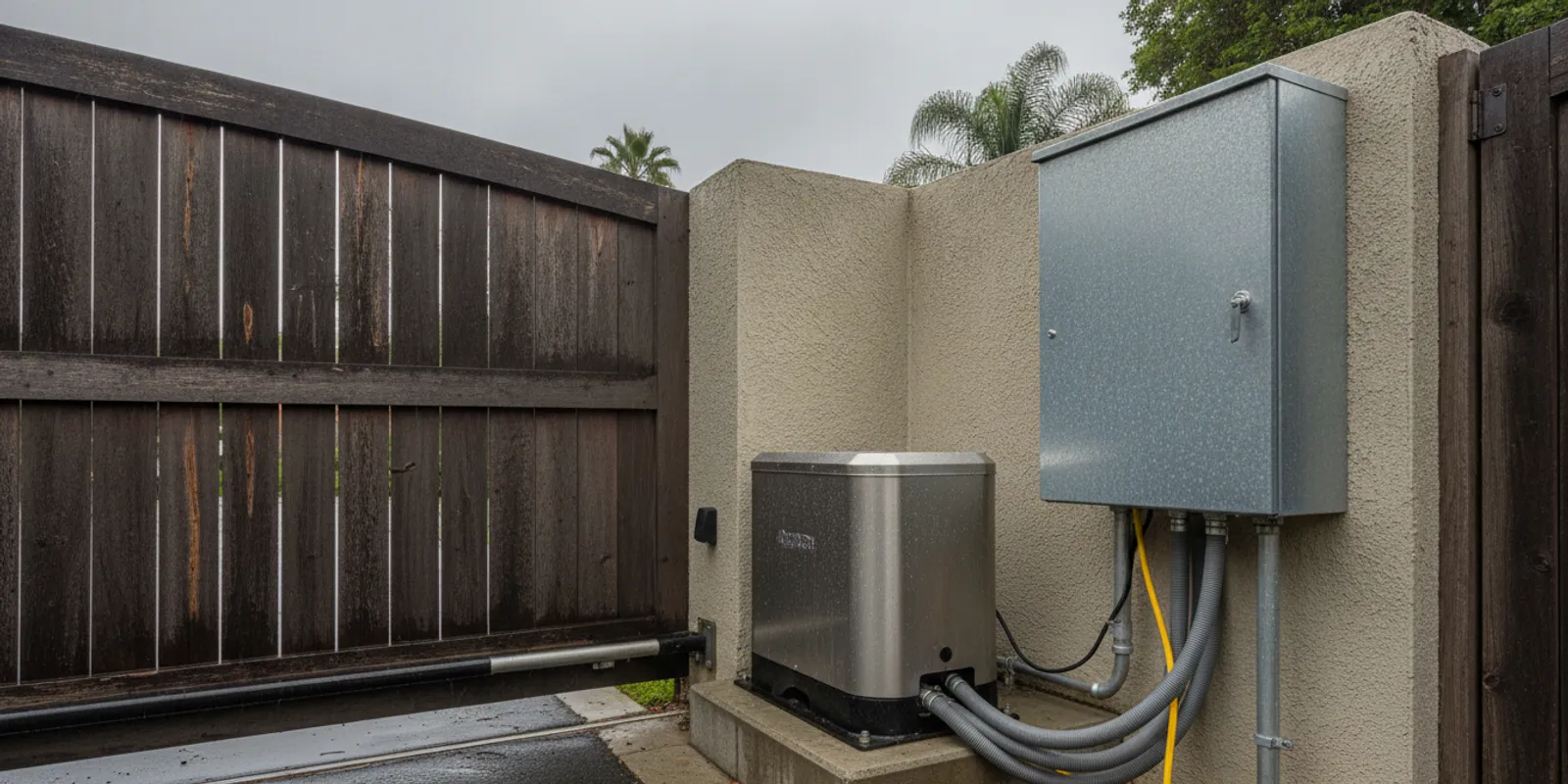
A lightning-related power surge can interrupt an electric gate, damage controls, or leave an operator behaving unpredictably. Gate operator lightning protection starts with understanding the full path of power and control wiring, not simply adding a device to the motor. If you manage an existing gate in Los Angeles or Orange County, this guide explains the practical safeguards to discuss and what to do if the system stops working.
What does gate operator lightning protection mean?
Lightning protection for a gate operator means reducing the chance that a nearby strike or electrical surge will harm equipment connected to the gate. The operator is only one part of an electrical system. Power conductors, control boards, low-voltage input wires, intercoms, keypads, card readers, remote receivers, and underground vehicle loop sensors may all connect directly or indirectly to the equipment.
A surge can travel along a conductor from outside the operator cabinet. It can also arise from a disturbance in the electrical supply. The gate may stop, move inconsistently, lose a control function, or appear completely dead. Similar symptoms can also come from an ordinary component fault, a power interruption, wiring damage, or a mechanical obstruction. A symptom alone does not prove that lightning caused the failure.
Effective planning considers the connected system as a whole: the incoming supply, grounding and bonding, exposed conductors, accessories, and the equipment maker’s instructions. The work should be matched to the specific operator and site. InteleGates services existing gate automation and access-control equipment; it does not build gates or fences.
Which parts of a gate system may be affected?
The operator’s control board is an obvious concern, but it is not the only part to consider. A strike or surge may affect one component while leaving another apparently normal. For example, the motor might respond to a local control but not to the keypad, or the gate may still open while an intercom or remote no longer works.
- Operator and control board: The motor controls may lose power, show a fault, or fail to respond to commands.
- Power supply and protective devices: A tripped breaker or damaged supply component may interrupt operation. Do not repeatedly reset a breaker that trips again.
- Control and communication wiring: Wires connecting a keypad, telephone entry unit, intercom, card reader, or receiver can provide another path into the system.
- Vehicle detection: An underground loop and its detector are separate components. A gate that does not respond to a vehicle may have a sensor issue rather than a motor problem.
- Safety devices: Photo eyes and other protective inputs must be checked before the gate is returned to normal service.
For a system that combines movement and entry devices, a technician may need to inspect more than the operator cabinet. InteleGates works on gate access-control systems, telephone entry equipment, and gate intercom systems as part of service for existing installations.
What safeguards can reduce the risk?
No single device can promise that a gate will be unaffected by a direct strike or every electrical event. A sensible plan uses compatible protective measures and correct installation. The following are topics to review with a qualified electrical or gate professional, not do-it-yourself wiring instructions.
Use surge protection suited to the equipment
A surge protective device may help limit transient voltage on a circuit, but it must be selected for the circuit and installed according to its instructions and applicable electrical requirements. A device on the incoming power alone may not address other connected paths, such as long control cables or accessory wiring. Ask what circuits the proposed protection covers and whether the operator manufacturer permits the arrangement.
Check grounding and bonding as a system
Grounding and bonding are important parts of an electrical installation. Their purpose and design depend on the equipment, wiring, and site. Do not improvise a ground connection, attach a wire to a fence or gate, or assume that a metal cabinet is adequately grounded because it is metal. Have a qualified professional inspect the installation and determine whether it meets the applicable requirements.
Review exposed wiring and cable routes
Long conductors and outdoor wiring deserve attention. A professional can look for damaged insulation, loose connections, water entry, unprotected cable runs, and routing that conflicts with equipment instructions. Do not open an energized operator cabinet or handle a damaged conductor. If wiring has been exposed by digging, impact, or weather, keep people away and arrange an inspection.
Include accessories in the plan
Gate controls often share wiring or connect to the same equipment. A keypad or intercom can fail even when the motor remains usable. Make an inventory of every connected device and ask whether its wiring needs protection or testing. If the property uses an underground vehicle detector, review that system as well; see InteleGates’ information on underground vehicle loop sensors.
Follow the operator maker’s documentation
Operators differ in design and connection requirements. The correct protection and reset procedure for one model may not apply to another. Keep the model information and installation documents available, and avoid adding components or changing control-board settings without confirming compatibility.
How do common protection approaches differ?
The table below is a discussion guide, not a recommendation for a particular device or a substitute for a site inspection. A qualified professional can determine which measures apply to the installed operator and local electrical conditions.
| Approach | What it addresses | What to confirm |
|---|---|---|
| Surge protection on the supply | Transient voltage on the covered power circuit | Device compatibility, circuit coverage, installation requirements, and condition |
| Protection for control or accessory wiring | Surges that may travel on connected signal conductors | Which lines need protection and whether the equipment maker allows it |
| Grounding and bonding review | Whether grounding and bonding are appropriate for the installation | Applicable requirements and correction by a qualified professional |
| Weather and wiring inspection | Visible damage, water entry, loose connections, or exposed cable | Safe isolation, repair needs, and protection of outdoor connections |
| Post-event system diagnosis | Whether the operator, controls, and safety inputs function correctly | Cause of the symptoms and whether the gate is safe to return to use |
How should you plan protection for an existing gate?
Start with an inventory rather than choosing a device by name. Identify the operator, power source, control board, entry equipment, safety inputs, and any wiring that runs between buildings or across the property. This helps a professional understand which components are connected and which circuits or signal paths may need review. If records are missing, do not guess: model labels and photos of equipment exteriors can help identify what is installed.
Consider the whole route from supply to accessory
Draw a simple, nontechnical map of the system. Mark the operator, any separate control enclosure, the location of keypads or intercoms, and where the gate receives power. Note long runs, underground lines, or wires that cross open areas. Do not remove covers, trace live wiring, or dig to locate a cable. This map is a conversation aid, not a wiring diagram, but it can help a service professional identify what should be inspected.
Account for how people use the gate
A private driveway and a shared entrance do not have the same access needs. A home may rely on a remote and keypad, while a multi-unit property may depend on telephone entry or card credentials for many users. A commercial property may have additional controls and a different pattern of use. List which devices people depend on and what happens if one function is unavailable. This gives the technician context for checking the system and discussing a safe way to manage access during service.
Coordinate work that affects connected equipment
Gate systems can be connected with access devices and other site equipment. If an electrician, access-control contractor, or gate technician is planning work, tell each professional what other devices connect to the operator. Ask who is responsible for checking the full system after any electrical work. A change made to one circuit can affect a control input or accessory, so agree on a final functional check instead of assuming that each separate component has been verified.
When comparing proposed approaches, ask for a plain-language explanation of what equipment is included, what remains outside the work, and how the system will be checked afterward. Ask whether the plan follows the operator documentation and applicable electrical requirements. Protection is a layer of risk reduction, not a promise that a gate can never be affected by a storm.
What should you do after a storm or suspected surge?
Start with people’s safety, not with a reset attempt. Keep clear if the gate is stuck, moving erratically, making an unusual sound, or not responding to its normal controls. Do not stand in its path, force it to move, or bypass a safety input. If there is smoke, a burning smell, visible arcing, or a damaged electrical cable, keep away and contact the appropriate emergency or electrical service.
- Observe from a safe distance. Note whether the gate is open, closed, partly open, or moving. Keep vehicles and people clear of its travel path.
- Record what stopped working. Does the gate respond to any approved control? Are the keypad, remote, intercom, and vehicle sensor affected, or only one device?
- Check for obvious external conditions. Look from outside the cabinet for a fallen branch, impact, standing water, or visible cable damage. Do not touch wet equipment or open the enclosure.
- Avoid repeated resets. If a breaker trips again or the operator immediately faults, stop. Repeated resets can obscure the symptom and may not address the underlying problem.
- Arrange a system diagnosis. Tell the service professional when the issue began and which functions remain available. A technician can inspect the operator, wiring, connected controls, and safety devices.
If the gate still operates, that does not establish that every safety feature is working. Use the system only in a way that does not put people at risk, and seek professional advice when there is uncertainty. InteleGates provides electric gate repair and can assess operator symptoms on an existing installation. For a specific LiftMaster unit, the company also provides LiftMaster repair service.
How can you prepare for a service visit?
A few details can make diagnosis more useful. They help distinguish an operator problem from a fault in a control, power supply, or accessory. You do not need to open the cabinet or test wiring to gather this information.
- Write down when the problem first appeared and whether a storm, outage, or nearby electrical work occurred around that time.
- Note the operator brand and model if it is visible without opening an enclosure. A clear photo of the outside label can help.
- List which controls still work: remote, keypad, intercom, telephone entry, card reader, or an authorized local control.
- Describe any display message, indicator light, sound, or movement you observed. Do not guess at a diagnosis.
- Tell the technician about recent changes, such as a new access device, landscaping, trenching, or work near underground wiring.
- Identify whether the gate serves a home, shared residential property, or commercial site, and whether users need a safe temporary access plan.
For an existing system with more than one issue, state the symptoms separately. “The remote stopped responding after the storm, but the keypad still opens the gate” is more useful than saying only that the gate is broken. InteleGates provides electric gate maintenance and gate access-control repair for systems that need service beyond a single operator component.
When does professional inspection matter?
Arrange a professional inspection if the operator is unresponsive, a breaker trips repeatedly, any enclosure or cable appears damaged, a safety device may not be functioning, or several connected controls failed at once. Inspection is also sensible when you are planning protection for an existing system and do not know how the operator, entry devices, and wiring are connected.
Work on a gate system can involve both electrical components and moving equipment. The gate may be heavy, and its operator can start when a control signal is sent. Do not defeat safety features, change force settings, or work inside a powered cabinet. InteleGates focuses on automation and access-control equipment for existing gates. Learn more about its gate automation service or check the Los Angeles and Orange County service area.
Broader electrical safety information is available from the National Fire Protection Association. For gate-specific work, follow the installed equipment maker’s documentation and applicable local requirements, and use a qualified professional for electrical inspection or repair.
Frequently asked questions
Can a surge damage a gate operator without a direct lightning strike?
Yes. A power disturbance or a nearby lightning event may affect connected electrical equipment without a direct strike to the operator. However, a failure after a storm is not proof of the cause. Diagnosis should consider the operator, supply, wiring, and connected controls.
Will a surge protector guarantee that the gate keeps working?
No. Protection may reduce exposure on the circuit it covers, but it cannot guarantee operation during every electrical event. The device must suit the equipment and installation, and other connected wiring may also need review.
Should I unplug the operator before a storm?
Do not improvise a disconnection or open an electrical enclosure. Whether an operator can be safely isolated depends on its installation and the manufacturer’s instructions. Ask a qualified professional about a safe procedure for the specific system.
Why does the keypad fail while the gate motor still runs?
The keypad, its wiring, or an input on the control board may have a separate fault from the motor. A technician can test the affected control path and check whether the operator itself is functioning normally.
Does lightning protection replace routine service?
No. Protection and maintenance address different needs. Periodic service can identify wear, damaged wiring, or changes in how the gate responds, but no maintenance visit can guarantee that lightning or a surge will not cause damage.
Ask about existing gate service
For gate operator lightning protection, begin with a clear inventory of the operator and everything connected to it, then have a qualified professional review the installation before changes are made.