
InteleGates Guide
Overhead Gate Operator: Applications, Safety, and Service
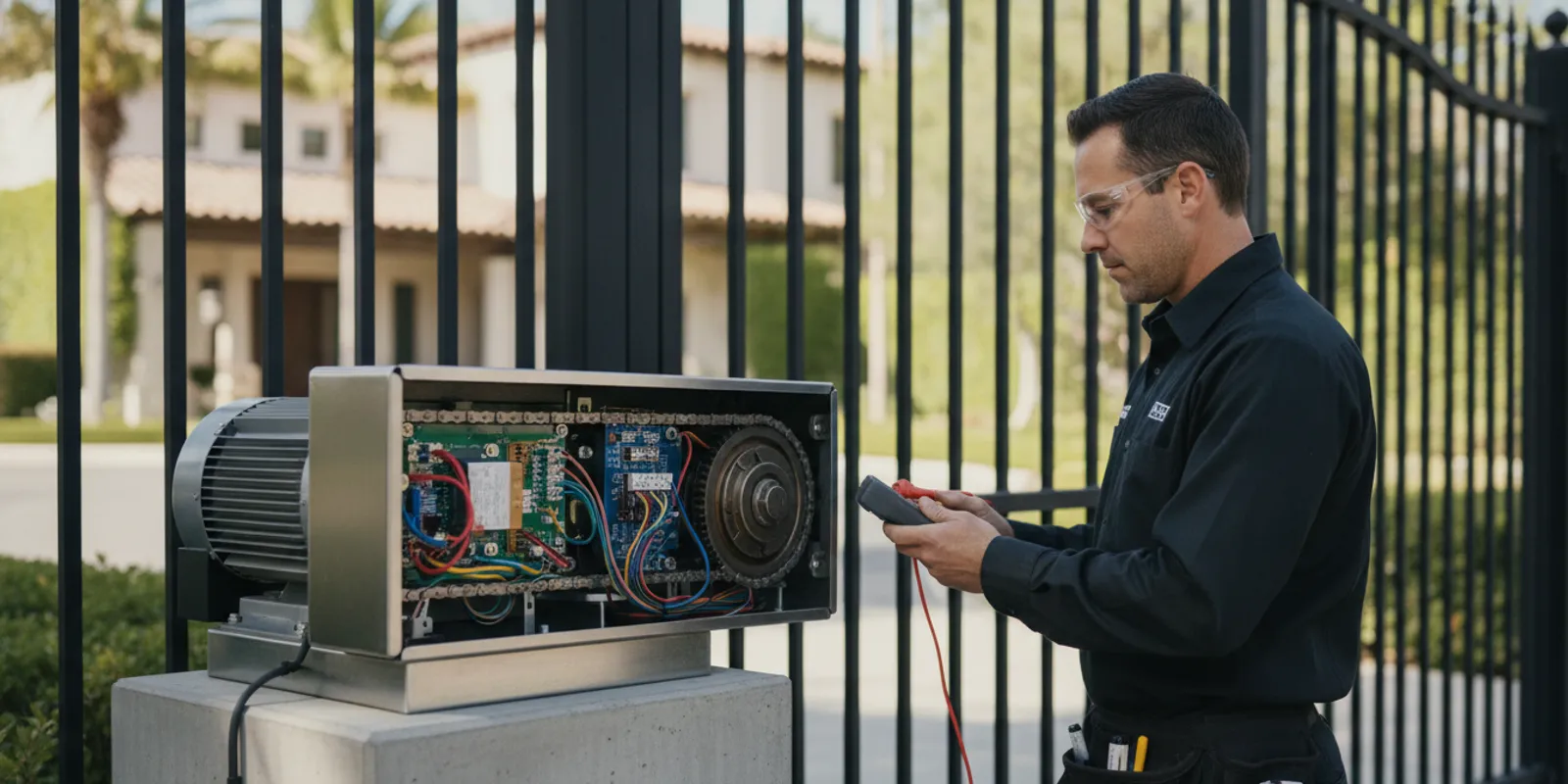
An overhead gate operator is a term that can describe different equipment depending on how a gate moves. Before choosing or servicing an operator, identify the gate’s travel path, how it is used, and which parts control its movement. This guide explains the practical checks for an existing gate system, safety devices, access controls, and signs that call for a technician’s inspection.
Request service for an existing gate system
What does “overhead gate operator” mean?
The phrase is not always used consistently. Some people use it for an operator connected to a gate that travels upward. Others may be referring to an overhead door opener, which is a different application. A gate operator is equipment that moves an existing gate; it is not a general label for every motorized door or entry system.
Start with what the gate actually does. Does it swing, slide, rise vertically, or move as a barrier arm? Does a section travel overhead, or is the caller using “overhead” as a loose description? That distinction helps avoid mismatched assumptions. InteleGates provides motor and access-control services for existing swing, sliding, barrier-arm, and vertical-lift gate applications. A technician needs to confirm the specific assembly and its compatibility before recommending work.
This guide is about gate automation. A garage door opener or roll-up door system should not be treated as interchangeable with a gate operator. If the terminology is unclear, describe the equipment and its movement rather than relying on a product label. A photograph of the operator and the gate’s path can help explain the setup during a service request.
Which parts of the existing system need to be considered?
An operator does not work in isolation. Its suitability and operation depend on the gate, the operator, the controls, and the site. An assessment should establish what is installed and how the complete system behaves before a technician recommends adjustment, repair, or replacement.
- Gate movement: Note whether the leaf swings, the gate slides, the assembly lifts, or a barrier arm rises. Record where it stops and whether movement is smooth across its travel.
- Operator arrangement: Identify the motor and the visible drive arrangement without disassembling covers or touching wiring. A clear photo from a safe distance can help communicate the type of installation.
- Gate condition: Look for a change in movement, unusual resistance, sagging, impact damage, or an obstruction. Do not force a gate that has stopped or is moving unpredictably.
- Controls: List the devices that command movement, such as remotes, keypads, telephone entry, card readers, or an intercom. Note whether every control behaves the same way.
- Safety devices: Describe the photo eyes, loop sensors, edges, or other devices visible on the installation. Their presence and operation should be assessed for the particular gate and layout.
- Use pattern: Explain whether the gate serves a home, a shared residential entrance, or a commercial site, and how frequently it operates. That context helps a technician evaluate the demands placed on the equipment.
These are observations, not instructions to repair the system. Gate operators can involve electrical connections and moving parts. Keep clear of the path and leave adjustments, testing, and repairs to a qualified service professional. InteleGates describes its existing-system work on its gate automation service page.
How do gate motion and operator type affect the application?
Gate motion is one of the clearest ways to distinguish an application. A swing gate pivots on hinges. A sliding gate travels along a path. A vertical-lift gate rises. A barrier arm rotates upward to control vehicle passage. Those movements place different demands on the operator and call for different installation details.
Do not assume that an operator meant for one type of movement can simply be adapted to another. The gate’s weight, dimensions, travel, attachment points, surrounding clearance, and operating pattern all matter. The operator must be compatible with the gate and installed in a position that allows the intended movement. A technician should verify the configuration on site and account for the gate’s actual condition.
An overhead-moving gate can create clearance questions above and around the opening. The site review should account for the complete path, including objects that could interfere with travel. It should also consider how people and vehicles approach the gate, where users stand to activate controls, and whether the gate can complete its cycle without striking or trapping an obstruction.
For a vertical-lift assembly, the lifting motion and the space above the opening are central considerations. A swing arrangement instead needs room for its arc. A sliding gate needs its travel path kept clear. A barrier arm has a different operating pattern again. An operator selection is not made by the label alone; it follows from the system’s real movement and site conditions.
Which safety and access-control details belong in a review?
Safe, predictable operation requires more than a motor that turns on. The operator, the gate, the activation controls, and the safety devices need to work together as intended. The appropriate devices and setup depend on the specific installation, so a generic checklist cannot confirm that a particular system is compliant or safe.
During a professional review, the technician can examine whether the gate responds consistently, whether its travel area is clear, and whether safety devices are installed and functioning for the application. They can also identify signs of damage or changes that could affect operation. Do not bypass a sensor or defeat a control to keep a malfunctioning gate moving. If a device appears damaged, or the gate does not respond as expected, stop using the affected control when it is safe to do so and arrange an assessment.
Access controls should also be considered as part of the full system. A keypad, card reader, remote, telephone-entry system, buzzer, or intercom may send a command to the operator. If the gate moves normally from one control but not another, that difference is useful diagnostic information. It may point the technician toward the operator, a control device, wiring, or their connection, but it does not establish the cause by itself.
For background on how one jurisdiction addresses gate-operator installers, the Texas Department of Public Safety page on gate operators and garage door openers describes Texas requirements. Those are Texas rules, not California requirements; property owners should use applicable local guidance for their own site.
Where vehicles pass over a defined approach, an underground loop sensor may be part of the system. Its job and relationship to the operator should be understood in the context of the installation. Learn more about underground vehicle detection and how it can be evaluated with gate automation.
What symptoms call for diagnosis?
Changes in operation are worth describing clearly. A gate that stops partway, reverses unexpectedly, moves more slowly than usual, makes a new sound, or fails to respond to a control may have an issue in the operator or another part of the system. These symptoms are clues, not a diagnosis.
- Intermittent response: Record which control was used, what happened, and whether the behavior repeats. If one remote fails while other controls work, mention that distinction.
- Unexpected stopping or reversal: Note where in the travel this occurs and whether it happens consistently. Do not hold the gate in motion or repeatedly trigger it to test a suspected fault.
- Unusual noise or vibration: Describe when it occurs, such as at startup, during travel, or near the end of a cycle. A new sound can help the technician narrow down what to inspect.
- Loss of power or response: Say whether the operator, controls, or both appear affected. Avoid opening electrical enclosures or handling exposed wiring.
- Changes after impact, weather, or other work: Share what changed and when, including any visible damage. This history may help distinguish a recent event from a gradual change.
If the gate is stuck in a position that blocks access, is moving without a clear command, or presents an immediate hazard, keep people away from its travel path and seek qualified help. Do not attempt to lift, restrain, or force a powered gate. For an operator or control issue, InteleGates offers electric gate repair and diagnostics. For service outside ordinary scheduling, see the emergency gate repair service information.
How do inspection, repair, and replacement differ?
A symptom does not automatically mean the operator must be replaced. Diagnosis first helps determine whether the concern lies with the motor, a control, a sensor, a connection, the gate’s movement, or a combination of factors. A technician can then explain what work is appropriate for the condition found.
Repair may be suitable when the affected component or connection can be addressed and the rest of the system remains appropriate for its use. Maintenance focuses on checking the equipment and its operation to identify changes and service needs. Replacement may be considered when the existing operator is damaged, incompatible, or no longer suitable for the gate and its operating demands. The recommendation should follow inspection, not a guess based on one symptom.
These steps are related but not identical. A service visit can begin with a description of the issue and an assessment of the equipment. A new operator installation for an existing gate also requires confirming the gate type, operator compatibility, site conditions, controls, and safety devices. The installer needs to understand the full arrangement before proposing a solution.
| Service path | What it addresses | Useful information to share |
|---|---|---|
| Diagnosis and repair | A change, fault, or inconsistent response in the current system | Symptoms, affected controls, and when the issue began |
| Routine maintenance | Condition and operation of installed equipment over time | Gate type, use pattern, and any recent changes |
| Operator installation | Adding or replacing an operator on an existing gate | Gate movement, site layout, controls, and visible operator details |
| Access-control service | Devices that send or manage entry commands | Device type and whether the issue affects one or several controls |
InteleGates provides electric gate maintenance and can assess an existing operator and related controls. The service centers on automation equipment and access-control systems for a gate already in place.
Why should diagnosis come before an equipment recommendation?
A gate that will not move may appear to have a failed motor, but a single symptom cannot establish that. The command may not be reaching the operator, a safety device may be affecting its response, or movement of the gate itself may have changed. A professional diagnosis considers these possibilities as parts of one system. It also helps avoid replacing an operator before confirming that the operator is the source of the problem.
This is especially useful when a property has several controls or several users. If a keypad, intercom, remote, and telephone-entry device all interact with one operator, the technician needs to know which of them work and what happens after each command. The details can distinguish a system-wide operating concern from an issue limited to one access device. Do not open enclosures or attempt electrical testing to gather this information; simply report what you observed during normal use.
What makes an installation review site-specific?
Even two gates with similar movement may have different requirements because their layout and use differ. An installer needs to consider the operator mounting location, available clearance, travel path, control locations, vehicle approach, and how people enter and exit the property. The gate’s condition and the existing operator configuration also matter. A review based only on a product description cannot account for those details.
Discuss the intended operation, not a particular model you saw online. For example, explain whether users activate the gate from a vehicle, a pedestrian entry point, or a staffed location, and whether access is managed by a keypad, cards, telephone entry, or another control. The installer can then assess how the operator and controls should work together on that site. This keeps the recommendation grounded in the existing gate and its real operating needs.
What should you have ready before requesting service?
A concise description can make an initial service discussion more useful. You do not need to identify a motor model or choose replacement equipment. Share the details you can observe safely, and let the technician assess the system.
- The property’s city and whether the gate serves a home, a shared property, or a commercial site.
- Whether a gate is already installed, and how it moves: swing, slide, lift, or barrier-arm motion.
- The operator brand or a legible label, if visible without removing a cover or approaching a moving gate.
- The symptom, when it began, and whether it happens every time or intermittently.
- Which controls are affected, such as a keypad, remote, intercom, telephone entry, or card reader.
- Any recent impact, electrical work, change to access devices, or other event that may relate to the issue.
- A photo showing the operator and surrounding area, taken from a safe position with the gate stationary.
For recurring care, read about gate system maintenance. If an access device appears to be the issue, the access-control repair service page covers related service. InteleGates serves Los Angeles County south of the SR-134 corridor, west of I-605 to the coast, and Orange County north of San Juan Capistrano; the service-area page provides additional location context.
Frequently asked questions
Is an overhead gate operator the same as an overhead door opener?
No. The terms may be used loosely, but a gate operator moves a gate assembly and an overhead door opener is designed for a different application. Describe the equipment and its movement so a service professional can confirm what kind of system is present.
Can an operator be selected from the gate’s name alone?
No. The gate’s motion, dimensions, condition, travel path, usage, controls, and safety devices all inform an appropriate assessment. A technician should verify compatibility on the existing installation before recommending an operator or service.
Should I keep triggering a gate that stops or reverses?
No. Repeatedly operating a gate that behaves unpredictably can create additional risk or obscure the original symptom. Keep clear of its path, note what happened, and arrange qualified diagnosis.
Does every operator problem require replacement?
No. A symptom can originate in the operator, an access control, a sensor, a connection, or the gate’s movement. Diagnosis helps determine whether repair, maintenance, or replacement is appropriate.
Contact the team about an existing gate operator
A clear description of the gate’s movement, controls, and symptoms helps a technician assess the right service path. Keep people clear of a malfunctioning gate and leave inspection and repair to a qualified professional.