
InteleGates Guide
UL 325 Gate Safety Requirements: What Property Owners Should Know
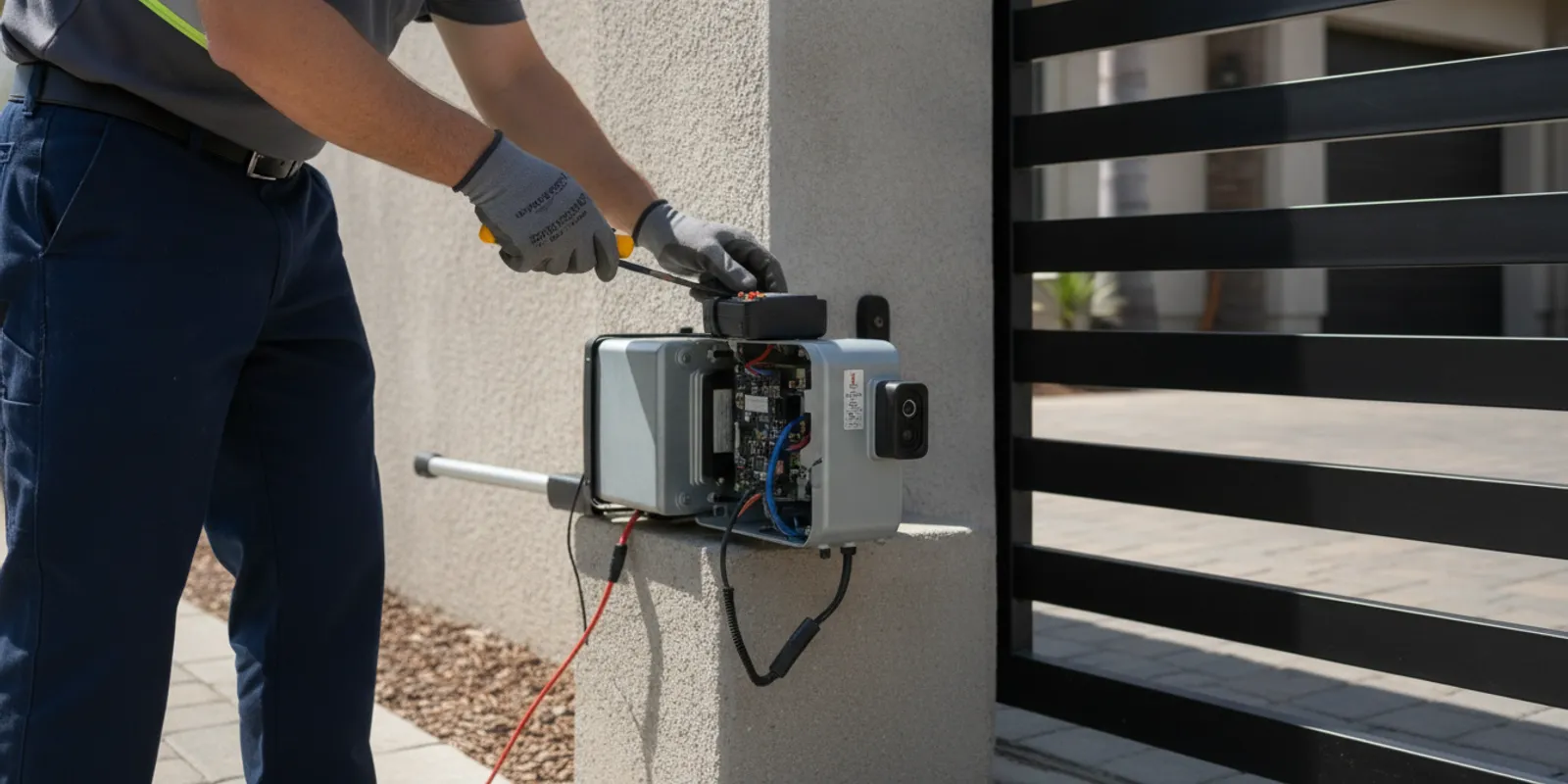
UL 325 gate safety requirements concern how powered gate operators are designed, installed, and used to reduce the risk of entrapment. For a property owner, the practical question is whether the operator, gate, sensors, and controls work together as intended. The right setup depends on the equipment and installation, so a visual check alone cannot confirm that a system meets every applicable requirement.
Arrange a professional gate system assessment
What does UL 325 cover?
UL 325 is a safety standard for door, gate, drapery, and other opening and closing systems. For powered gates, it addresses operator-related hazards, including the risk that a person could become trapped or injured while a gate moves. The standard is developed and maintained by UL Standards & Engagement; see UL Solutions for information about the organization and its standards work.
The standard is not a one-size-fits-all checklist that a property owner can apply without knowing the equipment. Requirements can vary with the operator, the gate configuration, the potential entrapment areas, the devices used, and the applicable instructions and standard edition. Local rules and the authority having jurisdiction may also matter. This overview is educational, not legal advice or a certification of any particular installation.
A technician assessing an existing system needs to consider the full operating setup, not only the motor. A useful starting point is to identify the operator model, its instructions, the gate's direction and movement, and the protective devices currently connected. InteleGates provides gate operator repair and diagnostics for existing systems, as well as broader electric gate repair.
Why is entrapment protection important?
An entrapment hazard exists where a moving gate could press against, catch, or restrict a person. The exact risk points depend on the gate and its surroundings. They may include the path between the moving gate and a fixed object, a point where gate sections come together, or another area identified by the equipment instructions. A gate can move with substantial force, so protective devices and correct operation matter even when the system appears to work normally.
Entrapment protection may involve more than one type of safeguard. Depending on the operator and installation, the system can use built-in force or motion detection, external photo eyes, sensing edges, or other compatible devices. These measures are not interchangeable by default. The operator manual specifies what is compatible and how the safeguards must be connected, positioned, monitored, and checked.
A sensor that is present but disconnected, misaligned, damaged, or incompatible may not provide the intended protection. Similarly, an operator that reverses in one test may not be safe at every point of travel. The system should be assessed at the actual hazard locations and tested using the manufacturer's procedure.
How do monitored photo eyes and sensing edges help?
Photo eyes use a beam between a transmitter and receiver. If an object interrupts the beam in the protected area, the connected operator should respond in the way its configuration is designed to respond. The location and function matter: a beam must protect the appropriate area, remain aligned, and be compatible with the operator. Dirt, landscaping, impact, shifted brackets, wiring damage, or a failed component can affect operation.
Some installations use monitored photo eyes. In this context, monitoring means that the operator checks for the expected device or signal rather than simply treating a sensor as an unverified accessory. If a monitored device or connection has a fault, the operator may indicate a fault or restrict movement according to its design. The precise behavior varies by model and configuration; consult the operator documentation rather than assuming every sensor is monitored in the same way.
Sensing edges are pressure-sensitive strips fitted at a selected edge or surface. Contact with the edge changes its signal, which can prompt the operator to stop, reverse, or respond as configured. The edge must be appropriate for the application, mounted where it can detect contact, and connected to a compatible operator. A damaged covering, loose mounting, or failed connection can undermine its function.
Photo eyes detect an interrupted beam without requiring contact; a sensing edge responds when pressure is applied. One does not automatically replace the other. A technician identifies the risk areas and checks the operator's instructions to determine what combination is applicable. For related equipment questions, see InteleGates' information on gate access control systems and intercom system service.
What role can vehicle loops play?
An underground vehicle loop detects the presence of a vehicle in a defined area. A correctly designed and connected loop can help an operator respond to a vehicle entering or occupying that detection zone. It can be useful for traffic flow and may be part of a site's overall operating arrangement.
A loop is not a universal substitute for an entrapment-protection device. Its suitability depends on its placement, wiring, detector, operator connection, intended function, and the gate's hazards. Do not assume that a vehicle detector protects a person on foot or covers every point where trapping could occur. A professional should distinguish vehicle-presence detection from the specific protective function required for an operator. Learn more about underground vehicle detection.
What should property owners know about operator controls?
Controls include devices such as keypads, remotes, telephone entry, card readers, and switches. Their placement and use affect how people interact with a moving gate. A control should be suitable for the system, installed according to the manufacturer's instructions, and checked for reliable operation. The arrangement should also account for the view a user has of the gate and the way the operator is intended to function.
Do not alter control wiring, bypass a device, or adjust the operator to overcome a fault. A gate that behaves unpredictably may have an issue with the operator, a protective device, wiring, alignment, or another part of the installation. Record what happens and when, keep people away from the movement area, and arrange assessment. InteleGates can inspect existing equipment and diagnose operator concerns; its electric gate maintenance resource explains why periodic system checks are useful.
What information should you gather before a service visit?
Useful observations help a technician understand the symptoms without asking a property owner to test hazardous equipment. Note whether the issue occurs while opening, closing, or in both directions; whether it happens every cycle or only sometimes; and whether a keypad, remote, or other control was used. Record any visible indicator or error message exactly as it appears. If a sensor looks shifted or has visible damage, describe its location from a safe distance rather than attempting to reposition it.
If available, keep the operator model information and the instruction manual accessible. Mention recent changes around the entrance, such as landscaping work, a vehicle impact, a power interruption, a replaced control, or work on the operator. These details do not establish the cause, but they give a technician a useful starting point. Keep people away from the movement area if the gate is stopping unpredictably or a protective device appears damaged. Avoid repeated operation to see whether the fault clears; the appropriate next step is diagnosis based on the installed equipment.
Why are warning signs and instructions part of the system?
Warning signs communicate that a gate moves and that people should keep clear of its path. Labels and instructions can also tell users how to operate the equipment appropriately. Signs do not replace functioning protective devices, careful installation, or maintenance. They support safe use by making important information visible to residents, visitors, staff, and service providers.
During a review, check whether the signs and labels are present, legible, and relevant to the equipment. Ask a technician or consult the operator's documentation if you are unsure what information belongs at the location. Avoid creating or substituting labels based on guesswork.
Which parts of the system should be inspected?
A practical inspection considers the operator and the complete installation. A technician may review the items below, using the equipment instructions and the actual site conditions to determine the appropriate checks:
- Operator identification: Record the manufacturer and model, review the applicable instructions, and check for visible damage or signs of a fault.
- Gate movement: Observe a normal cycle and note hesitation, unusual noise, inconsistent stopping, or movement that differs from the expected operation.
- Entrapment areas: Identify the locations where a person could be caught or pressed during opening or closing.
- Protective devices: Check the type, location, condition, connection, alignment, and response of compatible photo eyes, edges, or other devices.
- Vehicle detection: If a loop is installed, confirm that it performs its intended detection function without treating it as universal protection.
- Controls and wiring: Check controls, connections, visible cable condition, and any operator indicators or fault signals.
- Signs and labels: Look for information that is missing, damaged, or no longer legible.
This is not a do-it-yourself certification checklist. A property owner can report symptoms and note visible changes, but internal electrical work, device adjustment, and functional testing should be left to a qualified technician. An operator can retain hazardous energy even when it is not moving. Follow the manufacturer's guidance and keep people clear while an issue is unresolved.
What changes should prompt another review?
A system review is especially useful after a component has been replaced, a control method has changed, or the operator has been adjusted or repaired. Changes to the surrounding area can matter too. A new wall, post, planter, or parking arrangement may alter a moving gate's clearance or create a point where a person could be caught. Landscaping can also block a photo-eye beam or make a sensor harder to see and maintain.
Ask the technician to explain whether the change affects the operator setup or the location of a protective device. Do not assume that an old test result applies after equipment or site conditions change. Keep a simple record of the date, the work performed, the equipment identified, and any unresolved concern. This helps a future service provider compare the current arrangement with the previous one and reduces reliance on memory alone.
How does professional testing differ from a quick visual check?
A visual inspection can reveal obvious damage or a sensor that has shifted, but it cannot establish that every safeguard works correctly. Professional testing follows the procedure for the installed operator and its protective devices. The technician considers the model-specific instructions, the system's configuration, and the site's potential entrapment locations.
Testing can include verifying that each device is recognized by the operator, checking that the device produces the expected response under the specified test conditions, and confirming normal operation after diagnosis or repair. A technician should not rely on a single pass through one part of the gate's travel as proof that every hazard is addressed. If a test fails, the next step is to find the cause rather than simply bypassing a device or increasing force.
After service, ask what was inspected, what was found, what work was completed, and whether any concern remains. Keep the operator model and service information with property records. When the system changes, a component is replaced, or the gate begins behaving differently, have the configuration reviewed again. For service across the region, check the Los Angeles and Orange County service areas.
What should a useful service record include?
A clear record can help property owners and managers track the condition of an installed system across service visits. Include the operator manufacturer and model when known, the date of inspection, the symptoms reported, the protective devices reviewed, and any work performed. Note whether a functional test was completed and whether the technician identified an item that still needs attention. The purpose is not to create a private compliance certificate; it is to keep the equipment history understandable and useful.
For a multi-unit property, share relevant operating instructions with staff who manage entry and make sure they know how to report a problem. If several users report intermittent operation, gather their observations rather than asking each person to perform a different test. Consistent reports about timing, direction, or the control used may help isolate a pattern. The technician can then use the model's instructions and site conditions to plan appropriate diagnostics.
How do common components differ?
The table below describes general functions, not a universal specification. The operator manual and a site-specific assessment determine which devices are suitable and how they should operate together.
| Component | General function | What a professional checks |
|---|---|---|
| Operator sensing | Detects certain resistance or operating conditions, depending on the model | Model instructions, settings, cycle behavior, and whether other protective measures are needed |
| Monitored photo eye | Detects an interruption in a beam and communicates with a compatible operator | Compatibility, alignment, location, wiring, monitoring status, and response |
| Sensing edge | Responds to contact at a fitted edge or surface | Correct application, mounting, condition, connection, and operator response |
| Vehicle loop | Detects a vehicle within a designated detection area | Placement, detector function, operator connection, and intended role in the site layout |
| Warning sign or label | Communicates operating cautions and instructions to users | Presence, legibility, and consistency with the installed equipment |
When a component fails, the correct remedy depends on the diagnosis. A replacement must be suitable for the operator and installation, and the completed system must be tested. See the page on gate access control repairs for help with related system issues.
Request a technician's assessment of your existing system
Frequently Asked Questions
Does UL 325 specify the same setup for every powered gate?
No. The relevant safeguards depend on the operator, gate configuration, potential entrapment areas, instructions, and applicable requirements. A qualified professional should assess the specific installation instead of applying a generic device list.
Are photo eyes enough on their own?
Not necessarily. Their function and location must fit the installation, and other protective measures may be needed. The operator's instructions and an assessment of the actual hazard areas guide the decision.
Does an underground loop count as entrapment protection?
A loop detects a vehicle in its detection zone. It should not be assumed to protect people or to replace an appropriate entrapment-protection device. A technician can identify its intended role in the system.
Can I adjust a sensor or operator myself?
Avoid adjusting, bypassing, or rewiring protective equipment. Incorrect changes can affect how the operator responds. Keep people clear of the moving equipment and arrange professional diagnosis and testing.
Arrange a professional review
If your existing operator has a fault, a protective device appears damaged, or the gate responds inconsistently, stop relying on assumptions and arrange an assessment. Learn about electric gate automation service, or contact InteleGates to discuss your system so the team can help determine an appropriate next step.