
InteleGates Guide
Video Intercom Systems for Estates and Apartments
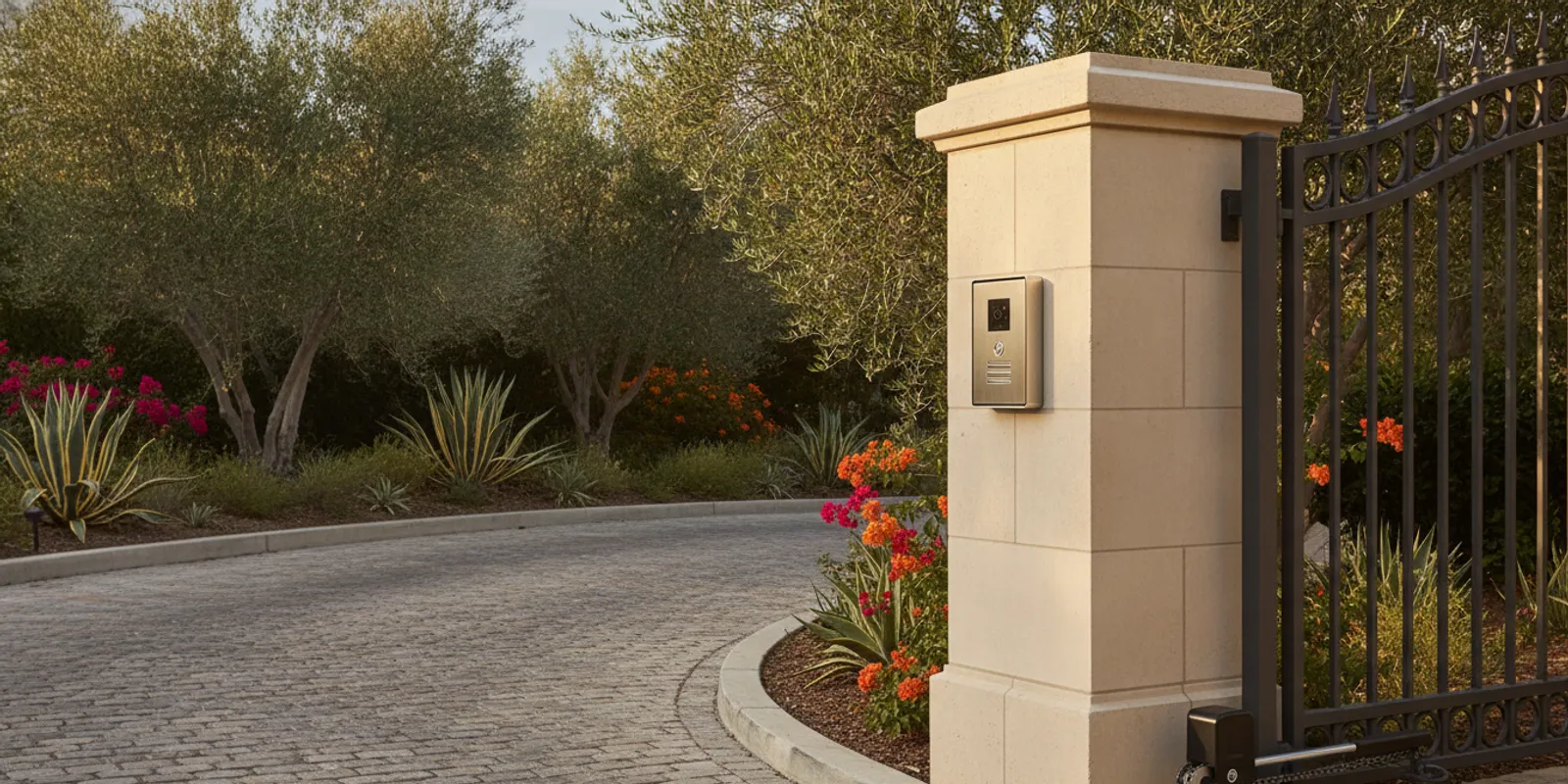
Video intercom systems let a resident or staff member see and speak with a visitor at an entrance, then decide whether to open the gate. For a gated estate or apartment community, the right setup connects the entry station, indoor or mobile answering points, and the gate operator in a way that fits daily traffic. Planning those parts together helps avoid a system that looks useful on paper but is awkward to use at the entrance. For the broader access-control framework, see InteleGates access control systems service.
Contact InteleGates about video intercom installation
Why do gated estates and communities use video intercom systems?
A visitor arrives at the entrance and needs to reach a resident, tenant, receptionist, or property manager. A video intercom adds a visual conversation to that call. The person answering can ask who is there, hear the response, and decide whether to trigger the gate operator. That can make the arrival process clearer than a call button alone, especially when several households or staff members share one entrance.
For an estate, the goal may be a straightforward way for a household to handle deliveries, guests, and service appointments without walking to the entry each time. At an apartment community, the system may need to route calls to different units or to a staffed office. The entrance experience is different in each case, so the system should follow the property's routine rather than force every site into one layout.
Video intercom equipment is one part of a wider access setup. The gate operator moves the existing gate; the intercom handles visitor communication; and the access-control equipment determines which users can activate an entry. The National Institute of Standards and Technology definition of physical access control systems is a useful reference for understanding how authentication and authorization fit into an entry system.
Owners comparing communication options can start with InteleGates' access control systems service page. The page puts video intercoms in context with keypads, cards, telephone entry, and gate operators.
How does a video intercom work with a gate operator?
A typical visitor call follows a short sequence. The visitor presses a call button at the entry station. The station sends audio and video to a designated answering point. After speaking with the visitor, the authorized person uses a control to activate the gate operator. Depending on the system and configuration, the answering point may be an indoor station, a desk station, or a compatible mobile device.
- Call starts at the entrance. The visitor selects a unit or contact, or presses a call button that reaches a designated person.
- The answering point receives the call. An indoor monitor, office station, or supported device alerts the intended user.
- The user communicates. The visitor and answering person speak, and the video provides an additional view of the entry area.
- The gate is activated when appropriate. The person answering uses an approved control that signals the gate operator.
- The operator moves the gate. The operator and its safety devices manage the gate movement according to the installed system.
The intercom does not replace the operator. It sends an activation command through a compatible connection; the operator performs the movement. That distinction matters when troubleshooting. If a call connects but the gate does not move, the issue may involve the release command, wiring, settings, operator, or another component. If the gate works from a remote but a visitor call does not release it, the intercom-to-operator connection deserves attention.
Before installation, the equipment and existing gate system need to be considered together. The technician should identify the operator model and control board, the available connection points, the number and type of entry stations, and where calls should be answered. A site with more than one gate may need a plan for which call station activates which operator. A shared entrance may also require a different arrangement from a private driveway.
InteleGates provides gate automation service for existing gate systems and gate operator repair. Reviewing the operator alongside the communication equipment can help establish whether the system is compatible and what installation work is needed.
Which features matter when choosing an entrance video intercom?
Start with how people use the entrance. A long feature list is less useful than a reliable call path that reaches the right person and allows that person to operate the gate. Write down who needs to answer calls, what times the entrance is busiest, and whether the property has one entry point or several. Then compare systems against those needs.
| Decision area | Questions to ask | Why it matters |
|---|---|---|
| Call routing | Does the call go to one residence, several units, an office, or a sequence of contacts? | Routing should match the property's directory and staffing routine. |
| Answering method | Will users answer at an indoor station, a desk, or a compatible mobile device? | People need a practical way to receive a call when they are on site or away. |
| Gate release | How does the answering user send a release command, and is it compatible with the operator? | The video conversation and gate activation are separate functions that must work together. |
| Entry conditions | Is the station exposed to sun, rain, dust, or frequent use? | Location and exposure influence mounting, protection, and service planning. |
| Power and connection | What wiring, network access, and power are available at the entry? | Existing site conditions can affect equipment choice and installation scope. |
| Daily management | Who updates residents, staff, or the directory when contacts change? | A clear owner for routine changes helps keep call routing current. |
Call routing and directory size
A single-family estate may need only a small number of people to receive calls. A community with many units needs a directory or another organized way to select the right resident. Property managers should consider move-ins, move-outs, staff changes, and how quickly the directory can be updated. Ask who will administer changes after the system is installed and what access that person needs.
For properties that use telephone entry, consider how a video station will fit with the existing call process. In some settings, it may supplement a current entry system; in others, it may become the primary visitor communication point. The existing wiring and equipment determine which approaches are practical. A technician can assess telephone entry systems and the operator connection as part of the same review.
Image, audio, and user controls
Check that the camera view covers the intended visitor area and that people can hear one another from the answering location. A camera angle should be planned around the approach to the station, not simply where mounting is easiest. For a shared entrance, test the intended view from the actual answering points. Ask whether the interface is understandable to residents and staff who may use it only occasionally.
Also ask how the gate release command is presented. The control should be clear to approved users and should not be confused with answering a call. Include the property's preferred management process in the equipment discussion: a household may want a compact indoor station, while an apartment office may need a shared desk setup and clear staff procedures.
Wiring, network, and site conditions
Video intercoms may rely on different combinations of wiring and network connectivity. Existing pathways, distance from the entry to the building, power availability, and network coverage can all shape the installation. Do not assume a system can use existing cabling without inspection. A site assessment can identify what is already present and whether additional wiring or configuration is needed.
Consider the physical environment, too. An entrance station must be mounted where visitors can reach it and where its view is useful. The placement should account for sunlight, weather exposure, vehicle approach, and the location of the gate operator and other equipment. Thoughtful placement can make everyday use easier and simplify future service.
What should estate owners and property managers plan before installation?
Good planning starts with the visitor journey. Walk through a typical arrival: where a vehicle stops, how a visitor selects a person or unit, who receives the call, and how the person activates the gate. Include less common but important situations, such as a delivery or a guest calling the property office. This exercise often reveals routing questions before equipment is selected.
- Map each entrance. List the entry points, the gate operator serving each one, and the intended call station locations.
- Define the directory. Decide whether visitors will choose a household, unit, office, or contact name.
- Name the answering roles. Identify who answers during normal operations and who maintains contact information.
- Review the existing equipment. Record operator and intercom details if available, along with known issues and prior changes.
- Check the site infrastructure. Note available power, cabling paths, network coverage, mounting surfaces, and exposure.
- Agree on acceptance testing. Plan to test a call, two-way audio and video, release control, and gate movement from the intended locations.
For apartment communities, coordination matters. The property manager may need to notify residents about the installation, confirm directory information, and decide how calls will be handled while work takes place. For an estate, the household may want to choose the primary answering locations and confirm which users should have gate release capability. These are practical operating decisions, not just product selections.
Keep a record of the installed equipment and the setup. Useful details include station locations, operator information, call routing, administrator instructions, and the date of testing. If the property already has an access method that residents use, note how it should interact with the new video intercom. A clear record makes later changes and diagnostics more straightforward.
Discuss your gate-integrated video intercom plan with InteleGates
How do the needs differ between an estate and an apartment community?
An estate usually has a smaller group of regular users, but its entry may serve household members, visitors, vendors, and scheduled service providers. The system plan should identify who receives calls and how the household wants to respond when nobody is near an indoor station. If more than one person answers, make sure each person understands which control releases the gate and how the call is routed. The camera and call button should be positioned for the normal vehicle approach, with the answering person able to see and hear the visitor clearly.
An apartment community has a different coordination challenge. Residents may change more often than the equipment, and a property office may be responsible for managing directories and resident instructions. Decide whether callers select a unit, search a directory, or contact the office. Establish who updates entries and how the property handles a resident who has moved. If there are multiple entrances, label each station and document which gate it operates. These details can prevent confusion for residents, visitors, and staff.
Across residential properties, decide how the intercom will fit with existing devices. A property may already use a keypad, card reader, remote control, or telephone entry. List what residents and staff rely on today and what should continue to work after the new equipment is installed. This inventory gives the installer a clearer picture of the desired outcome and makes it easier to test the complete arrangement.
How should a video intercom be tested after installation?
Testing should reflect actual use, not only a bench check. Place a call from the entrance and answer it at every intended answering point. Confirm that the expected image and audio are clear, the correct contact or unit receives the call, and the release control activates the intended operator. Then observe the gate movement and confirm the operator completes its normal cycle.
Test more than one call route if the property has multiple users or stations. For a community, verify a sample of directory entries and confirm that property staff know how to request an update. For an estate, test from the indoor location and any supported remote answering point that the household plans to use. Document any behavior that differs from the agreed plan before considering the job complete.
If the intercom calls correctly but the gate does not respond, note whether the operator works from its other controls. If the gate moves normally but video or audio is unreliable, note the affected station and conditions. These details help a technician distinguish a communication issue from an operator or release-circuit issue. For existing faults, InteleGates offers intercom system service and access-control repair for gate-related equipment.
Which video intercom systems and brands should you consider?
System selection should follow compatibility, site conditions, and the way users answer calls. InteleGates services audio/video intercoms, telephone entry systems, gate buzzer systems, and related access-control equipment for existing gates. The specific equipment and connection method still need to suit the property's wiring, network, directory, and gate operator. A product name alone does not establish that a device will connect correctly to every existing setup.
When comparing a system, ask for a clear explanation of the full path: which unit captures the call, what receives it, and what sends the command to the gate operator. Ask how users are added or changed, what the property needs to maintain, and how service access will work. If an existing telephone entry, buzzer, keypad, or other access device must remain in use, include that requirement early.
InteleGates focuses on gate motors and access-control equipment for existing gates. Its work includes intercoms, telephone entry, and related operator connections. A technician can review the site and discuss installation or service options based on the equipment already in place. Learn more about gate buzzer systems and gate access-control service when comparing how different visitor-entry devices fit together.
When should you request a professional assessment?
Consider an assessment when planning a new video intercom for an existing gate, when an older station no longer routes calls as expected, or when the intercom and operator behave inconsistently. An assessment is also useful when a property is adding units, changing how calls are answered, or replacing an operator while keeping the visitor station. The goal is to understand the whole system before recommending a change.
Bring any equipment labels, manuals, wiring notes, and a short description of the problem. Explain what happens when a visitor calls and what happens when someone uses the gate's other controls. For a community, note the number of entry stations and how calls are assigned. Sharing the property location and whether an existing gate is in place helps the service team understand the request.
InteleGates serves property owners and managers across Los Angeles County and Orange County. See the service area information or review electric gate repair options for an existing system.
Talk with InteleGates about your existing gate and video intercom
Frequently asked questions
Can a video intercom open an existing electric gate?
It can be configured to send a release command when the intercom and gate operator are compatible and connected correctly. A technician should inspect the operator, control connections, and intercom before confirming the installation approach.
Can residents answer a gate call when they are away from home?
Some systems support answering through a compatible mobile device, while others use indoor or desk stations. The available method depends on the equipment, network, and configuration. Confirm which answering options the proposed system supports at the property.
Is a video intercom suitable for an apartment community?
It can be suitable when call routing, resident directory management, answering roles, and gate release are planned for the community's daily operation. The number of units and the way residents are reached should guide system selection.
What information helps prepare for a video intercom service call?
Share the property city, whether there is an existing gate, the equipment brand or model if known, and what happens during a visitor call. Also describe whether the operator works through its other controls. These observations help focus the assessment.
Request a video intercom assessment from InteleGates
A well-planned video intercom connects visitor communication with the gate operator and the property's real routines. Start by mapping how calls should flow, then have the existing equipment and site conditions assessed before choosing a system.