
InteleGates Guide
How to Program a New Gate Remote: 3 Easy Methods
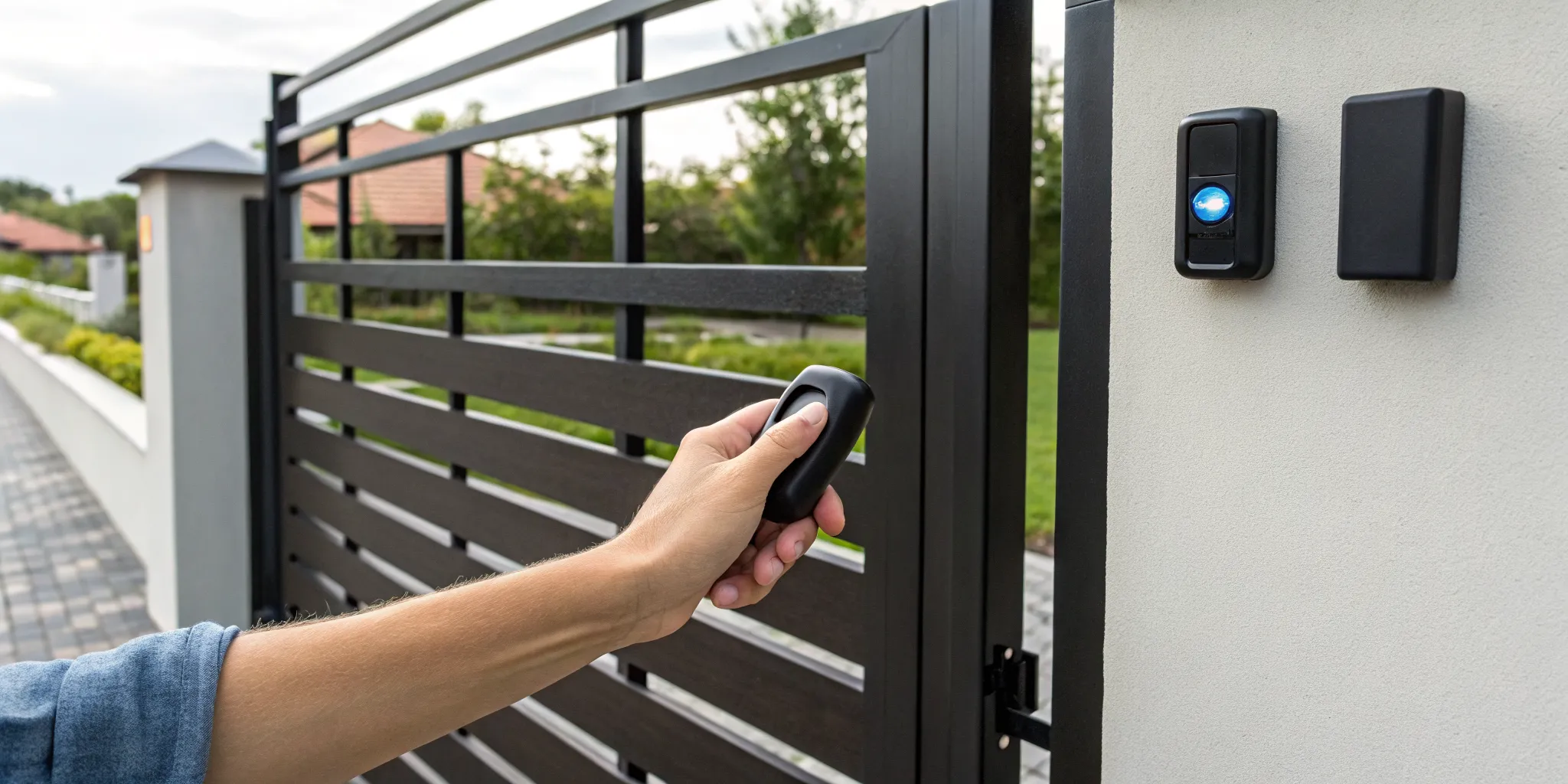
Losing a gate remote feels a lot like losing a key to your front door. It’s not just an inconvenience; it’s a security concern. You’re left wondering who might find it and what you should do next. The good news is that you have complete control over your property’s security, and it starts with managing your remotes. This guide will show you how to program a new gate remote, but more importantly, it will teach you how to erase lost or stolen ones from your system’s memory. Taking back control is easier than you think. We’ll walk through the simple steps to clear your gate opener’s memory and sync only the remotes you trust, ensuring your access control system is secure and your peace of mind is restored.
Key Takeaways
- Preparation is Key: Before you start, confirm your remote is compatible with your gate opener's frequency and code type. Having fresh batteries and your system's manual ready will prevent most common programming frustrations.
- Identify Your Syncing Method: The programming process depends on your system. Modern gates use a simple "Learn" button on the control board, while older models often require you to match a pattern of tiny DIP switches inside the remote.
- Manage Access for Better Security: Treat your remote like a digital key. For strong security, choose rolling code technology, immediately erase lost or stolen remotes from the system's memory, and use temporary keypad codes for guests instead of handing out physical remotes.
What to Grab Before You Start
Before you start pressing buttons, let’s get everything you need in one place. Taking a few minutes to prepare will make the entire process much smoother and save you from running back and forth. Think of it as your pre-programming checklist. Having the right tools on hand ensures you can get the job done quickly without any frustrating interruptions. Most gate remote programming is straightforward, but being prepared for the little things, like a tiny screw or a dead battery, makes all the difference.
We’re going to walk through the four essential items you should have ready: fresh batteries, a small screwdriver, your gate opener’s manual, and a compatible remote. Gathering these items first will help you follow the programming steps without a hitch. A little organization now prevents a lot of guesswork later, especially if you need to open up the remote or the main control unit. This preparation is a key part of managing your property’s access control system and keeping everything running as it should. Once you have your small toolkit assembled, you’ll be ready to get your new remote synced up in no time.
Fresh Batteries
This might sound obvious, but it’s the most common reason for programming headaches. A weak or dying battery can send a poor signal, making you think the programming failed when the remote simply didn't have enough power to communicate with the opener. Start with a brand-new set of batteries to guarantee your remote has the full power it needs for a strong, clear signal. This simple step can save you from repeating the process multiple times and wondering what you’re doing wrong. It’s the easiest way to rule out a power issue from the start.
A Small Screwdriver
Many gate remotes have a small screw holding the case together. You’ll need a small screwdriver, often a Phillips-head, to open it up to replace the batteries. Depending on your gate system’s age, you might also need it to access a panel of tiny DIP switches inside the remote. It’s also a good idea to have one handy in case you need to open the main control box for your gate opener, as the "learn" button we'll be looking for is usually inside. A small, multi-bit screwdriver set is a great tool to have for this and other small household jobs.
Your Gate Opener Manual
Your gate opener’s manual is your best friend for this task. While the steps we’ll cover are common for most systems, your manual contains the specific instructions for your exact model. It will tell you precisely where to find the "learn" button and may have model-specific details that can simplify the process. If you’ve misplaced the physical copy, don’t worry. Most manufacturers post digital PDF versions of their manuals online. A quick search for your gate opener’s brand and model number should help you find it. Keeping this document handy is part of good electric gate system maintenance.
Match Your Remote to Your Opener
Before you even attempt to program a new remote, you need to confirm it’s compatible with your gate opener. Not all remotes work with all systems. The easiest way to check is to look at your old, working remote for a model number, frequency (usually listed in MHz), and brand. Your new remote must match these specifications. If you’re buying a replacement, make sure it’s listed as compatible with your gate opener’s model. This single check prevents the frustration of trying to program a remote that was never going to work in the first place, ensuring it integrates correctly with your gate automation setup.
How Does Gate Remote Programming Work?
Programming a new gate remote is essentially like introducing it to your gate opener. You’re teaching the opener’s control system to recognize and trust the unique signal from your new remote. When you press the button, the remote sends a signal; if the opener recognizes it, the gate opens or closes. This pairing process usually involves accessing the gate’s main control box and pressing a specific button to put the system into a "learning" mode.
Before you can sync your remote, however, there are two important things you need to understand about how these systems communicate: the type of code they use and their operating frequency. Getting these right is the key to a successful pairing and a secure access control system. Knowing the difference will help you choose the right remote and keep your property safe.
Fixed Code vs. Rolling Code: What's the Difference?
Gate remotes use one of two types of technology to send their signal: fixed code or rolling code. A fixed code remote is the simpler of the two. It sends the exact same digital code to your gate opener every single time you press the button. While this is a straightforward system, it’s also less secure because that fixed signal can potentially be captured and copied by tech-savvy thieves.
A rolling code remote, on the other hand, is much more advanced. Each time you press the button, it sends a brand-new, encrypted code to the opener. The opener knows the algorithm and can predict the next code in the sequence, but to an outsider, the signal is just random noise. This makes it the far more secure option for modern gate systems.
Why Rolling Code Is the Safer Choice
That constantly changing signal is exactly what makes rolling code technology the gold standard for security. Because a new code is generated with every click, the system makes it nearly impossible for someone to capture your remote’s signal and use it to open your gate. Even if they managed to intercept the code from one of your button presses, it would be useless just a moment later, as the system would already be expecting a completely different code next.
This dynamic technology is a major deterrent to unauthorized entry. When you’re focused on keeping your home or business secure, opting for a system with rolling code is one of the smartest moves you can make. A professional electric gate system installation will almost always include this feature for your peace of mind.
Why Frequency Compatibility Matters
Just like a radio needs to be tuned to the right station, your gate remote and opener must operate on the same frequency to communicate. If you have a remote that sends a signal on one frequency and a receiver that’s listening on another, they’ll never connect, no matter how many times you press the button. Most modern gate systems in the U.S. operate on a frequency between 300 and 433 MHz.
Before you buy a new remote, it’s crucial to confirm its frequency matches your gate opener. You can usually find this information printed on the back of your old remote or on the opener’s control board itself. If the numbers don’t match, it simply won’t work. If you’re struggling to find this info, a technician can identify it during an electric gate system maintenance check.
How to Find the "Learn" Button on Your Gate Opener
Before you can teach your gate opener to recognize a new remote, you need to find its "brain," which is the control board. This is where you'll find the all-important "Learn" button. Think of it as the button that puts your system into programming mode, ready to sync with a new device. Finding it is usually the trickiest part of the whole process, but once you know where to look, it’s simple. Just remember to be careful anytime you’re working with the internal components of your gate system. If you ever feel unsure, it’s always best to call a professional for an electric gate system repair to avoid causing any damage.
Common Hiding Spots on the Control Board
Your gate’s control board is almost always housed inside the main opener unit, right near the motor that physically moves the gate. To get to it, you’ll need to open the protective cover or housing. This might require a screwdriver, but some covers simply unclip. Once you have the cover off, you’ll see the circuit board with all its wires and components. The "Learn" button will be located somewhere on this board. Don’t be intimidated by all the electronics; you’re just looking for one specific button. It’s often placed in an accessible spot to make programming new remotes easier.
What the "Learn" Button Looks Like
Now for the fun part: the search. The "Learn" button is typically a small, square or round push-button directly on the circuit board. It’s often a different color from the board itself, like red, black, or yellow, to help it stand out. Look for a label printed right next to it. While "Learn" is common, manufacturers use different terms. You might see it labeled as "Program," "Code," "Set," or "Radio." Some brands use abbreviations like "PROG" or "MEMO." Usually, there’s a small LED indicator light right next to the button that will light up or flash when you press it, confirming the system is ready for gate automation commands.
How to Program a Remote with the "Learn" Button
Using the "Learn" button is one of the most common methods for programming a new gate remote, especially for modern systems. It’s a simple, direct way to sync your remote to the gate opener’s receiver without needing to mess with complicated wiring or codes. The process is designed to be user-friendly, so as long as you can find the button, you’re halfway there. This method is a core part of most modern gate automation systems. Before you get started, it’s always a good idea to turn off the power to the gate opener at the circuit breaker for safety. Once you’re ready, just follow these steps.
Step 1: Get to the Control Board
First things first, you need to find your gate opener’s control board. This is the brain of the operation, and it’s usually housed inside the main motor unit. You’ll likely need a screwdriver to remove the protective cover. Be gentle when you take it off, as there are wires and other sensitive components inside. If you don’t see the control board in the main unit, look for a separate, smaller box mounted nearby; this is the external receiver. Taking a quick picture with your phone before you touch anything is a great way to remember where everything goes.
Step 2: Press the "Learn" Button
Once you have the cover off, scan the control board for a small button. It’s often labeled "Learn," but you might also see "Program" or "Code." These buttons are usually a different color from the rest of the board, like red, yellow, or black, to make them stand out. When you find it, press and release it one time. Don't hold it down. You should see a small LED light next to the button turn on or start blinking. This light is your signal that the gate opener is now in programming mode and ready to learn the new remote’s signal.
Step 3: Sync Your Remote
Now, grab your new remote. With the LED indicator on the control board lit or blinking, press and hold the button on the remote that you want to use for opening the gate. Keep holding it until the LED light on the control board either blinks rapidly, turns solid, or goes out completely. Some systems might also make a clicking sound or a beep to confirm that the signal has been accepted. This action tells the gate opener’s receiver to save and recognize this specific remote’s code. Once you get that confirmation signal, you can release the button on your remote.
Step 4: Test Your Remote
Before you put the cover back on, it’s a good idea to test the remote. Step away from the gate opener to a normal operating distance and press the button you just programmed. If the gate starts moving, you’ve successfully synced it. If nothing happens, don’t worry. Sometimes it takes a second try. Just repeat the steps, making sure you press the "Learn" button correctly and hold the remote button long enough for the system to register it. Once it’s working, you can securely fasten the housing cover back on. If problems persist, it might point to a deeper issue requiring professional electric gate system repair.
Syncing Multiple Remotes
If you have more than one remote to program, you can simply repeat the process for each one. However, for security reasons, you might want to clear the opener’s memory first. This is especially important if you've lost a remote or just moved into a property with an existing gate. To do this, press and hold the "Learn" button for about 10 to 15 seconds, or until the LED indicator light turns off. This erases all previously programmed remotes, giving you a clean slate. From there, you can program each of your current remotes one by one, ensuring your access control system is secure.
How Do You Clone a Gate Remote?
If you need an extra remote for a family member or want to replace a lost one, cloning can be a quick and easy solution. Think of it as making a copy of a key; you’re teaching a new remote to mimic the signal of your existing one. This method is popular because it usually doesn’t require you to open up the gate opener’s main control box, making it a convenient option for many homeowners.
However, this process only works with specific types of remotes and gate systems. It’s a fantastic solution when it’s compatible, but it’s good to know the limitations before you start. Let’s walk through what you’ll need and the exact steps to follow, so you can determine if cloning is the right method for your gate.
What You'll Need to Clone a Remote
Getting your supplies ready ahead of time will make the cloning process much smoother. You don’t need a complicated toolkit, but having the right items on hand is essential for success. Before you get started, make sure you have these three things:
- A working original remote: This is the remote you will copy the signal from. It must be fully functional for the transfer to work correctly.
- A new, compatible remote: Not all remotes can be cloned. You’ll need a "universal" or "clonable" remote specifically designed to copy signals. Check the remote’s packaging to confirm it’s compatible with your gate’s frequency.
- Fresh batteries: It’s a simple but crucial step. Put new batteries in both the old and new remotes to ensure a strong, clear signal for a successful transfer.
How to Clone Your Remote, Step-by-Step
While the exact steps can vary slightly between remote brands, the general process is very similar for most models. It’s always a good idea to check the instructions that came with your new remote first.
- Activate pairing mode. Put your new remote into its "learning" or "cloning" mode. This usually involves pressing and holding one or two buttons for a few seconds until an LED light starts to flash.
- Position the remotes. Place the original remote and the new remote very close to each other, typically an inch or two apart. Some instructions suggest they should be head-to-head.
- Transfer the code. Press and hold the button on your original remote that you want to copy. The LED light on the new remote should change its flashing pattern (for example, from slow to rapid) to show it’s receiving the code.
- Save the code. Once the signal is copied, press the button on the new remote that you want to use for the gate. The LED light will usually turn solid to confirm the code has been saved. Now, give it a test to make sure it works!
When Cloning Works (and When It Doesn't)
Cloning is straightforward, but it doesn’t work for every system. Your success will depend on the type of security your gate uses. Many older systems use a "fixed code," which sends the same signal every time and is very easy to clone. However, most modern gates use "rolling code" technology for enhanced security. A rolling code changes every time you use the remote, which is a key security feature of a modern access control system.
While you can sometimes clone a rolling code remote, you’ll often have to complete an extra step: registering the new remote directly with your gate opener’s receiver. This final step authorizes the new remote with your system. Also, always try to clone from an original remote, not a copy of a copy. Cloning from a previously cloned remote can result in a weaker signal and unreliable performance.
How to Program a Remote with DIP Switches
If your remote doesn’t have a “learn” button, you might be working with an older system that uses DIP switches. This method feels a bit like a throwback, but it’s incredibly straightforward. It’s all about matching a physical pattern of tiny switches inside your remote to the ones on your gate’s receiver. Think of it like setting a simple combination lock.
This technology was common in older gate openers, and while it’s less secure than modern options, knowing how to program one is useful if you’re maintaining an existing system. The process is very hands-on and requires no complex button-pressing sequences, just a keen eye and a steady hand. Let’s walk through how to get it done.
How to Read and Match DIP Switch Settings
First, you’ll need to play detective. Open your remote’s case, usually near the battery, to find a row of tiny numbered switches. Each switch will be in an up or down position. This is your code. Next, locate your gate opener’s receiver box, which is typically mounted on or near the gate itself. Open it up, and you’ll find an identical set of DIP switches.
Your goal is to make the switch pattern on your new remote exactly match the pattern on the receiver. Use a small screwdriver or the tip of a pen to carefully flip the switches on your remote into the same up-and-down sequence. Once the patterns are identical, put your remote back together and give it a test.
Do Gate Systems Still Use DIP Switches?
While you’ll still find DIP switches on some older properties, they are considered outdated technology for a reason. These remotes use a single, fixed code. That means if someone ever gets their hands on your remote, they have a permanent key to your gate. This poses a significant security risk compared to modern solutions.
Newer installations almost always use rolling code technology, which generates a new, encrypted code every time you press the button. If your property still relies on DIP switches, it might be time to think about a more secure access control system. An upgrade not only protects your property better but also opens the door to features like smartphone access and temporary codes for guests.
What to Do If You Don't Have a Working Remote
It’s a frustrating moment: you pull up to your gate, press the remote, and nothing happens. Or maybe you’ve lost your remote entirely and have no way to get in. Don't worry, you aren't stuck. Whether your remote is lost, broken, or you’re a new property owner without one, there are several ways to get your gate working again. Some solutions are simple enough to handle on your own in a few minutes, while others point to a deeper issue that might need a professional eye.
Before you try to program a new remote, it helps to understand your options. You can often reset the system directly from the control board, which is a great security measure if a remote was stolen. For modern setups, your smartphone might even be able to act as a backup remote. If you’ve tried the basics and are still having trouble, it might be time to call for help. A faulty remote can sometimes be a symptom of a larger problem with your access control system, but let’s walk through the simple fixes first.
Reset the Gate Opener from the Control Board
If you've lost a remote or just moved into a new property, your first step should be to clear the gate opener's memory. This erases all previously programmed remotes, ensuring no one else has access. To do this, you'll need to access the gate opener's main control board. Look for a button often labeled "Learn" or "Code." Press and hold this button down. After a few seconds, you should see an indicator light turn off, which confirms that all linked remotes have been erased. Just remember, this action wipes the slate clean, so you will need to reprogram any remotes you do have and want to keep using.
Program Directly from the Control Box
Once you've cleared the old codes, or if you're simply adding a new remote, you can program it using the same "Learn" button. With the gate closed, open the control box and press the "Learn" button for just a couple of seconds until the indicator light blinks or you hear a beep. This signals that the opener is in programming mode. You typically have about 30 seconds to complete the next step: press the button on your new remote. The indicator light should flash or beep again to confirm it has successfully learned the new remote's code. This process is central to your system's gate automation and restores your convenient access.
Use a Smartphone App If Your System Has One
Many modern gate systems offer a fantastic alternative to traditional remotes: smartphone control. If your system is compatible, you can often download an app that turns your phone into a secure remote. Some setups require a small device to be installed near your gate that pairs with your phone, while others connect directly through Wi-Fi or Bluetooth. This is not only convenient (since you always have your phone), but it also adds a layer of modern security. Many of our clients pair this feature with an intercom system service for a fully integrated and easy-to-manage entry point. Check your gate opener’s manual to see if app control is an option for you.
Ask the Manufacturer for a Master Code
If you're struggling to program a remote using the "Learn" button, there might be another way. In some cases, especially with older or more complex systems, you may need a master code from the manufacturer to access programming functions. This isn't a common scenario, but it can be a useful solution if you've hit a wall with standard troubleshooting. Contacting the manufacturer is also a good idea if you suspect there might be an issue with the unit's internal wiring or if the standard programming steps just aren't working as they should. They can provide specific guidance for your model.
When It's Time to Call a Professional
Sometimes, a non-working remote isn't about the remote at all. If you've tried resetting the system, changing the batteries, and reprogramming without success, it’s likely a sign of a bigger issue. If you notice any damage to the control panel, see frayed wires, or if multiple remotes suddenly stop working at once, it's time to put down the tools and call an expert. Attempting complex fixes on your own can lead to more damage or safety risks. A professional can quickly diagnose the problem and provide an effective electric gate system repair, getting your gate back in working order safely and efficiently.
Troubleshooting: Why Isn't My Remote Working?
So you’ve tried programming your new remote, but the gate still won’t budge. It’s a frustrating moment, but don’t worry, the fix is often simpler than you think. Before you call for backup, let’s walk through a few common issues that could be causing the problem. Most of the time, a little detective work is all it takes to get your remote and gate communicating again. Let's start with the most common culprit.
First, Check the Batteries
It might sound obvious, but dead or weak batteries are the number one reason a gate remote stops working. Before you get into more complex troubleshooting, pop open the remote and put in a fresh set of batteries. Also, double-check that they’re installed correctly, with the positive and negative ends aligned properly. This simple step can save you a lot of time and a major headache. A fresh start with new batteries often solves the problem instantly.
Double-Check Remote and Opener Compatibility
Not all remotes are created equal. It’s crucial to make sure your new remote is designed to work with your specific gate opener model. A universal remote might not sync with every system, especially older or highly specialized ones. Check the packaging or the remote itself for the model number and confirm it’s compatible with your opener. If they aren't a match, the remote will never be able to automate your gate, no matter how many times you try to program it.
Look for Signal Interference
Your gate opener operates on a radio frequency, and other electronic devices can sometimes get in the way. Things like Wi-Fi routers, cordless phones, or even large metal objects can block or interfere with the signal. Try standing closer to the gate opener, away from any potential obstructions, and see if the remote works. If it works intermittently, signal interference is a likely cause. Sometimes, a reliable signal requires a professional assessment of your property’s unique layout.
Reset and Reprogram the System
If you’ve tried everything else, a simple system reset might be in order. Your gate opener’s receiver can sometimes develop a glitch that prevents it from learning a new remote. You can usually reset it by pressing and holding the "Learn" button on the motor until the indicator light turns off. This erases all paired remotes, so you’ll have to reprogram any others you use. If this still doesn’t work, it could point to an issue with the logic board, which may require professional electric gate system repair.
Check the Gate Opener's Power
Your remote can send all the signals it wants, but if the gate opener itself doesn’t have power, nothing is going to happen. Take a moment to confirm the opener is switched on and receiving electricity. Check your property’s circuit breaker or fuse box to make sure nothing has been tripped. Sometimes, a recent power outage or storm can flip a breaker without you realizing it. Regular electric gate system maintenance can help catch power issues before they leave you stuck.
Keep Your Gate Secure: Remote Best Practices
Getting your new remote programmed is a great first step, but keeping your property secure is an ongoing commitment. Your gate remote is essentially a key to your home or business, so it’s important to manage it wisely. A little bit of planning and a few good habits can make a huge difference in preventing unauthorized access and giving you peace of mind. Think of it like this: you wouldn't hand out spare house keys without a second thought, and the same principle applies here. By following a few simple best practices, you can ensure your automatic gate system remains a reliable and secure asset, not a vulnerability. These tips will help you stay in control of who comes and goes, whether you're dealing with a lost remote or managing access for guests.
Always Choose Rolling Code Technology
When it comes to your gate’s security, not all remotes are created equal. Modern gate systems rely on what’s called rolling code technology, and for good reason. Instead of using a single, fixed code, these systems generate a brand new, encrypted code every single time you press the button on your remote. This constant change makes it virtually impossible for someone to capture your remote’s signal and use it to open your gate later. It’s a massive security upgrade from older, fixed-code systems, which were much easier to duplicate. If you're installing a new system or upgrading an old one, insisting on rolling code technology is one of the most effective ways to secure your property. This feature is a standard part of modern gate automation and is essential for robust security.
Keep Track of Who Has a Remote
This might sound simple, but it’s a step many people forget. Make a list of every person who has a remote for your gate. Whether you write it down in a notebook or keep a digital file, knowing exactly how many remotes are out there and who has them is critical. This practice is especially important for businesses with multiple employees or residential properties with several family members or tenants. If a remote ever goes missing or an employee leaves, your list will tell you exactly which one needs to be deactivated. It’s a low-tech solution that provides a high level of control and makes managing your gate’s security much more straightforward.
Immediately Delete Lost or Stolen Remotes
If one of your remotes is lost or stolen, you need to act fast. Don't just hope it turns up; treat it as a potential security breach. The first thing you should do is delete that specific remote from your gate opener’s memory. This action immediately deactivates it, so even if someone finds it, they won't be able to open your gate. Most systems allow you to clear all remotes by holding down the "Learn" button on the control board for about 10 to 15 seconds, after which you can reprogram the remotes you still have. If you're unsure how to do this, it's a good time to call for professional electric gate system repair to ensure it's done correctly.
Clear All Codes When You Move In
If you’ve just moved into a property with an existing automatic gate, one of your first tasks should be to reset the gate opener. You have no way of knowing who the previous owners gave remotes to, from old tenants and neighbors to service providers. To ensure you’re the only one in control, you should clear the system’s memory of all previously programmed remotes. This creates a clean slate, so you can be confident that only the remotes you program yourself will work. It’s a simple but crucial step for securing a new home or business and establishing a secure perimeter from day one.
Use Temporary Codes for Guests and Services
Handing out a physical remote should be reserved for people who need regular, long-term access. For everyone else, like contractors, delivery drivers, or guests, it’s much safer to use temporary access solutions. Many modern systems allow you to set temporary codes on a keypad or grant access through an intercom. This gives visitors the access they need without you having to hand over a valuable remote that might not be returned. Using these features is a smart way to manage visitors and is a core benefit of a comprehensive access control system. It keeps your primary remotes secure while still offering convenient entry for others.
Is It Time for a Gate Access System Upgrade?
Sometimes, the trouble isn't with your remote, but with the gate system itself. If you're constantly wrestling with an older or unreliable setup, programming a new remote might just be a temporary fix. It could be a sign that it’s time for a bigger change. So, how do you know when to stop troubleshooting and start thinking about an upgrade?
First, consider the age of your system. If it’s more than a decade old, it likely uses outdated fixed-code technology. This means your remote sends the same signal every time, making it easier for someone to copy. Modern systems use rolling code technology, which changes the signal with each use, making it nearly impossible to duplicate. An updated access control system provides a serious security improvement.
Are you on a first-name basis with your repair technician? Frequent malfunctions, like wiring problems or a finicky control panel, are another clear sign. While a one-off electric gate system repair is expected, constant issues add up. A new, more reliable system can be a smarter investment in the long run, saving you from future headaches and expenses. Plus, newer systems offer features that simplify your life, like the ability to open your gate with a smartphone app or integrate it with your car’s built-in remote.
Finally, think about major security moments. If you’ve recently moved into a new property or lost a remote, it’s the perfect time to evaluate your setup. Instead of just clearing the old codes, you might consider a full electric gate system installation to ensure your property is truly secure and up-to-date. It's about making sure you have total control and peace of mind.
Related Articles
- Gate Remote Controls in Los Angeles & OC — InteleGates Inc.
- Gate Remote or Keypad Not Working? The Common Causes — InteleGates Inc.
- Remote Gate Openers in Los Angeles & OC — InteleGates Inc.
- How To Reset An Automatic Gate? — InteleGates Inc.
- Remote Control And Intercom Systems For Automatic Gates — InteleGates Inc.
Frequently Asked Questions
What's the difference between cloning a remote and programming one with the "Learn" button? Cloning is like making a photocopy; you teach a new remote to mimic the signal of an existing one. It's often done without touching the main gate unit. Programming with the "Learn" button, however, is like introducing the new remote directly to the gate opener. This method creates a fresh, secure link between the remote and the opener's control board and is generally the more reliable method for modern systems.
I lost my remote. What's the most important first step to keep my property secure? The very first thing you should do is erase your gate opener's memory. This action deactivates every remote that was previously synced to it, including the one you lost. You can typically do this by pressing and holding the "Learn" button on the opener's control board for about 10 to 15 seconds. Once the memory is cleared, you can then reprogram the remotes you still have.
My remote isn't working even with new batteries. What should I check next? If fresh batteries didn't do the trick, the next thing to check is signal interference. Try standing closer to the gate opener, away from large metal objects or other electronics. You should also confirm that the remote is actually compatible with your gate opener's specific model and frequency. If it's a new remote that has never worked, it might simply be the wrong match for your system.
Is it okay to use a universal remote for my gate? Universal remotes can work, but you need to be very careful about compatibility. Before buying one, you must confirm that it is designed to work with your gate opener's specific brand and frequency. If it's not a match, it will never sync correctly. For the most reliable performance and security, using a remote made by your gate opener's original manufacturer is almost always the better choice.
My gate system is old and uses DIP switches. Is it still secure? While DIP switch systems are straightforward, they are not considered secure by modern standards. They use a single, fixed code that never changes, which makes your signal much easier to copy than newer systems. If security is a priority for your home or business, upgrading to a system with rolling code technology is one of the most important improvements you can make.