
InteleGates Guide
RFID Gate Access Control for Commercial and Multi-Unit Properties
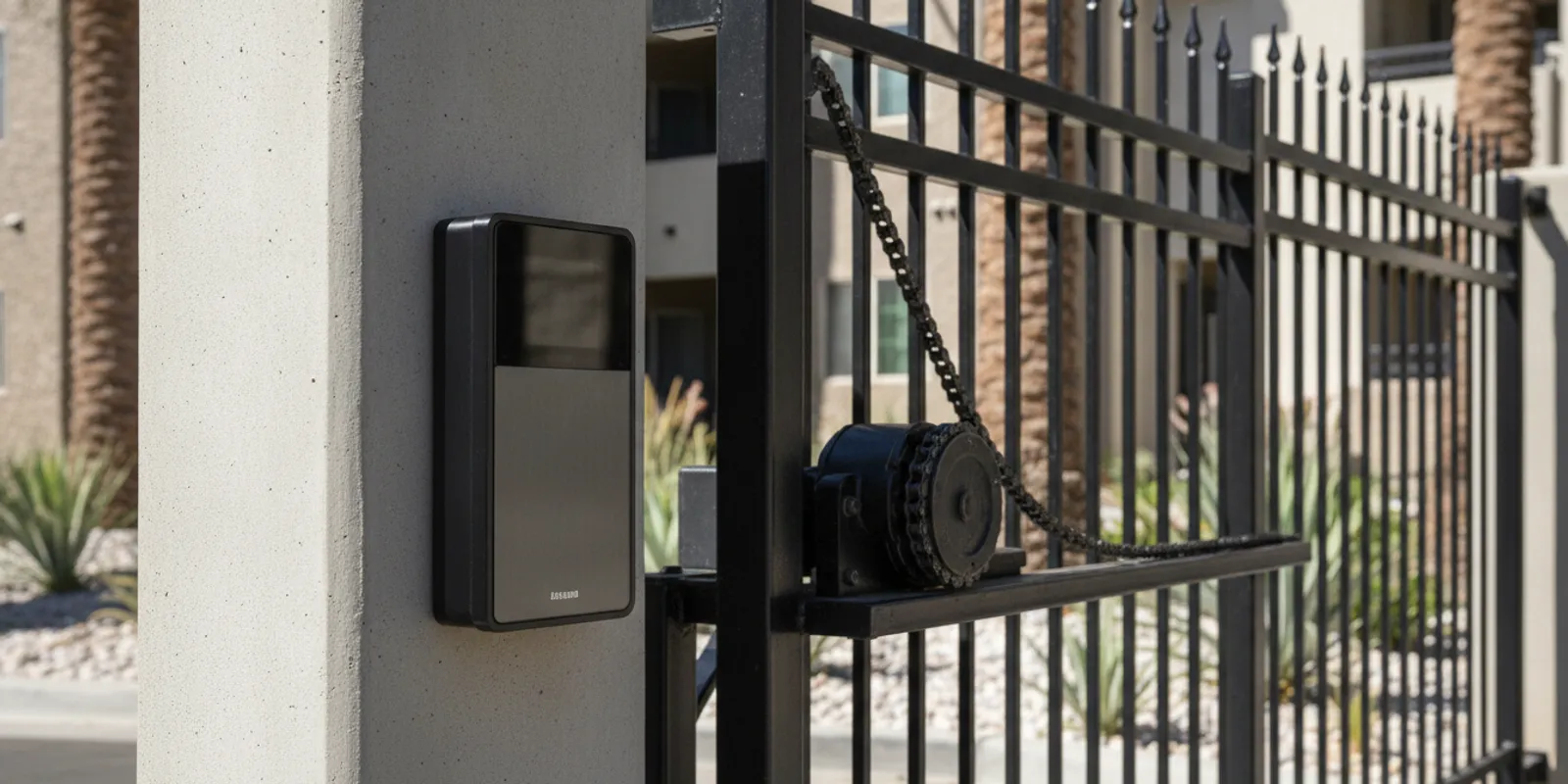
RFID gate access control lets authorized residents, employees, or contractors use a card or fob at a reader to request entry through an existing vehicle gate. For commercial properties and multi-unit communities, it can make routine access simple while giving managers a practical way to assign and update credentials. This guide covers system basics, day-to-day management, and how RFID compares with keypad and telephone entry. For the wider picture, see our guide to access control systems for gated properties.
Discuss an RFID access system for your property
What does RFID gate access control provide for commercial and residential properties?
RFID stands for radio-frequency identification. In a gate access system, a reader detects a credential such as a programmed card or fob. The connected controller checks whether that credential is permitted to request entry, then signals the gate operator or related equipment. The credential is presented at the reader; residents and staff do not need to enter a shared code each time.
The value for a property manager is a repeatable process for everyday arrivals. A manager can issue cards or fobs to residents, employees, vendors, or other approved users. When someone moves out or no longer needs access, the manager can arrange to remove or change the credential's permissions, depending on the system configuration. This is different from a keypad code that may be shared across many users and need to be changed for everyone when it is no longer appropriate.
RFID is one of several access methods that can be used with an existing gate. InteleGates provides RFID entry system installation as part of gate-specific equipment service. The right layout depends on the gate operator, reader location, controller, wiring, user routines, and how the property wants to manage credentials.
The National Institute of Standards and Technology describes contactless credentials used with physical access control systems in its Physical Access guidance. That standards example reinforces the importance of matching credentials, readers, permissions, and revocation procedures. A commercial gate installation still depends on the site's equipment and operating requirements.
How are RFID cards and fobs programmed and managed?
RFID access is not just a reader mounted near an entrance. Credentials must be recognized by a compatible system, and the system must be configured so that the gate responds as intended. The exact process varies by equipment, but a property manager should understand these core parts:
- Reader: The device at the entry point that detects a presented card or fob.
- Credential: The card or fob assigned to a person or group of users.
- Controller and permissions: The system that determines whether a credential is currently authorized and what response follows.
- Gate operator interface: The connection that relays the authorized request to the existing operator and related equipment.
Before installation, decide who will administer credentials and keep a simple, current record. For each card or fob, record an assigned user or role, issue date, and status. Avoid maintaining an unlabelled box of active cards: if no one can tell who has a credential, it becomes harder to make a clean update when occupants or staff change.
A practical credential workflow
- Set a clear request process. Decide whether a resident, employee, or supervisor requests a credential and who approves it.
- Assign each credential deliberately. Track which person or role receives each card or fob. If the system supports it, use individual credentials rather than a shared credential for a whole group.
- Explain how to use it. Show users where to present the card, what normal operation looks like, and whom to contact if it is lost or stops working.
- Update access when circumstances change. When a tenant leaves, an employee changes roles, or a contractor's work ends, follow the system's procedure to remove or revise that credential's permissions.
- Review the process periodically. Check that assigned credentials still match current users and that the responsible manager knows how to request changes.
Managers should also decide how to handle lost cards, temporary contractors, and after-hours arrivals before the system goes live. A written procedure helps a new staff member follow the same steps as the person who set up the system. For communities with many residents, a defined handoff process can prevent confusion during move-ins and move-outs.
It helps to walk through a few ordinary scenarios before choosing an administrator workflow. When a new resident arrives, for example, note who confirms the request, which credential is assigned, and how its identifier is recorded. When a resident leaves, identify who informs the administrator and what confirmation is kept after permissions are changed. For a short-term contractor, decide whether the property can issue an individually tracked credential and who will collect or disable it when the work ends. These are operating decisions, not just technical details; clarifying them in advance keeps staff from improvising different processes at each entrance.
The installation discussion should establish who will program credentials and what training the property team needs. A technical setup that no one on site knows how to administer can create avoidable delays. InteleGates also services gate access control equipment and key card systems, helping property teams evaluate equipment and credential needs together.
RFID vs. keypad vs. telephone entry: which fits your property?
Each entry method solves a slightly different problem. RFID is often convenient for people who use the gate regularly and can carry a credential. Keypads can work well when a person needs to enter a code without carrying a separate card. Telephone entry lets a visitor contact a resident or staff member, who can decide whether to grant entry through the configured system.
| Option | How a user requests entry | Management consideration | Often worth considering when |
|---|---|---|---|
| RFID card or fob | Presents an assigned credential at a reader. | Plan credential issuance, tracking, and removal or permission changes. | Residents, employees, or regular vendors need a simple routine entry method. |
| Keypad | Enters an assigned or shared code at the keypad. | Decide who may receive codes and how updates will be communicated. | Users may not carry cards, or a code-based process suits the property. |
| Telephone entry | Calls or contacts a listed resident or staff member through an entry unit. | Maintain current directory information and decide who handles visitor calls. | Visitors need a way to reach someone at the property before entry. |
These methods can sometimes be combined. For example, a property may use RFID for residents and employees, while telephone entry serves visitors. A keypad can be appropriate for a separate user group or a particular entrance. Combining methods can make sense, but only if the property has a clear plan for who uses each method and who manages its credentials or directory.
Think about the entry experience from the user's point of view. How many people use the gate each day? Do residents and employees arrive in vehicles, on foot, or both? Do visitors need to reach a specific person? Who is available to answer entry requests? How often do users change? Answers to these questions help narrow the options more reliably than choosing a device based only on a feature list.
Consider two common property situations. At a community where most daily traffic comes from residents with stable access needs, individually assigned cards or fobs may give the manager a consistent way to handle routine arrivals and user turnover. At a building that receives frequent guests, deliveries, or service visits, RFID alone does not answer the visitor's question of whom to contact. Telephone entry may be a useful companion so visitors can reach the intended resident or staff member. A site with several user groups might use a different method at a secondary entrance, provided instructions are clear and each method has an assigned administrator.
Telephone entry is useful when a visitor needs to contact someone, while RFID is intended for users who already have an assigned credential. Learn more about gate telephone entry systems, gate keypad systems, and gate buzzer systems. For the complete set of considerations, revisit our access control guide for gated properties.
Talk with InteleGates about RFID access for your existing gate
What should managers assess before choosing RFID?
Start with the existing gate and its operating equipment. The reader and controller need to work with the site's gate operator and entry layout. A professional assessment can review how the gate moves, where people approach, how equipment is powered and connected, and whether the current access-control components are suitable for the intended use.
Then consider the operating plan:
- Who needs credentials? Estimate user groups and identify whether each group needs the same or different access permissions.
- How often do users change? A property with frequent staff or tenant turnover should have a straightforward process for issuing and deactivating credentials.
- Who will maintain the records? Assign a primary administrator and a backup so credential management does not depend on one person's availability.
- What should visitors do? Determine whether a visitor should call a resident or staff member, use a managed code, or follow another established procedure.
- What happens when equipment needs service? Know whom to contact and what information to provide about the gate, reader, and symptoms.
It is useful to collect the gate's operating details before requesting service: whether it slides or swings, any visible operator or access-control brand, what happens when a credential is presented, and whether the issue affects one credential or multiple users. Do not assume that every failure is caused by the reader. A fault may involve the credential, controller, wiring, power, operator interface, or another part of the system. Diagnosis helps identify the actual issue before a repair or replacement is recommended.
Also consider how people physically approach the reader. A reader that is awkward to reach from a vehicle, poorly positioned for a pedestrian route, or hard to identify may frustrate users even if the credential and controller are configured correctly. Think through where a driver stops, how the reader is approached, and whether regular users can present credentials without creating confusion at the entrance. Include both vehicle and foot traffic in the site discussion when both use the property.
For an existing system that needs troubleshooting, see gate access control repair and gate operator repair. InteleGates focuses on motor, access-control, and related equipment service for existing gates.
How can managers administer RFID gate access control each day?
Good administration is mostly a matter of consistency. Property managers can make routine updates easier by documenting the steps for issuing a card, replacing a lost one, changing a user's permissions, and closing out access when someone leaves. Keep the procedure simple enough that a backup administrator can follow it. Store the credential record with appropriate care and limit editing access to designated staff.
For a larger property, organize the record by building, department, or user group rather than relying on one long unstructured list. Note the credential identifier, the person or role assigned to it, the date issued, and whether it is active. The system's own capabilities determine exactly what information can be viewed or changed. The goal is to be able to answer basic operational questions: who is responsible for this credential, is it still needed, and what action is due?
A short written checklist can make a credential handoff more dependable. It might prompt the administrator to confirm the request, note the assigned credential, record the date, explain the expected use, and tell the user how to report a problem. A second checklist for departures can remind staff to notify the administrator and verify that the account or credential status has been addressed. The system's features determine how each update is performed, but the checklist helps people remember to initiate it.
When someone reports that a card does not work, gather a few observations before changing system settings:
- Does the problem occur with one card or with several?
- Does the reader appear to respond when the card is presented?
- Is the gate operating normally for other users?
- Did the issue begin after a credential or equipment change?
- Does the problem occur at one entry point or at more than one?
These details help distinguish an individual credential issue from a reader, controller, connection, or operator concern. Avoid assuming that a new card is always the answer, or that the gate operator needs replacement because one credential fails. Record what happened and when, then request diagnosis if the cause is not clear. If multiple users report a change at the same time, include that information when contacting a service provider.
Plan for temporary users as well. Contractors, delivery teams, and event staff may need a defined access process that does not rely on passing around a permanent credential. The available options depend on the property's equipment and operating rules, so discuss the expected user groups during system planning. Reviewing the process after staff turnover or a change in property management also helps keep records current.
What happens during RFID access control installation?
A typical project starts with a conversation about the existing gate, the property's users, and what the team wants the entry process to accomplish. The installer then assesses the equipment and site conditions before recommending a compatible arrangement. The exact scope depends on what is already installed and what changes are needed.
Installation planning should address reader placement, the controller and operator connection, how credentials will be programmed, and how the system will be tested. The work should also include a practical explanation for the people who will administer cards or fobs. Managers can prepare by identifying the decision-maker, the expected user groups, and any site rules or operating constraints that may affect installation.
Before a site visit, gather practical details that help explain the job: the property address, the type of gate movement, the entry point where RFID is wanted, the approximate user groups, and a short description of existing equipment or problems. If one entrance already has access equipment, note what users do there and what they find inconvenient. A property manager can also identify the staff member who will make decisions and the person who will administer credentials after the work is complete.
After the equipment is installed and configured, the system should be checked using the intended credentials and normal gate operation. The property team should understand how to issue credentials, request a permission change, and report a fault. Keep a record of system details and the service contact with other property operations documents so future managers can find them.
InteleGates provides gate automation and access-control service for existing gates in Los Angeles County and Orange County. Explore RFID entry installation, gate automation service, and the service areas page to learn more about the available service.
Ask InteleGates about RFID, keypad, and telephone entry options
Frequently Asked Questions
Can RFID cards be used by both residents and staff?
Yes, a system can be planned for different user groups, subject to the equipment's features and configuration. Decide who can issue credentials and whether each group needs distinct permissions before installation.
What should a property manager do when an RFID card is lost?
Follow the system's process to identify and disable or update that credential, then issue a replacement if appropriate. Keeping a record of which card belongs to which user makes this task much easier.
Is RFID better than a keypad?
Neither option is best for every property. RFID suits regular users who can carry cards or fobs; a keypad may suit users who prefer to enter a code. The number and type of users, turnover, and management process should guide the choice.
Can RFID and telephone entry be used together?
They can be considered together when the system and site support the desired setup. RFID can serve regular users, while telephone entry gives visitors a way to contact a resident or staff member. A site assessment can determine what equipment and connections are needed.
Plan an RFID system around the way your property operates
RFID gate access control is most useful when the hardware, credential process, and daily routines are planned as one system. Identify who needs access, who will manage cards or fobs, and how visitors should be handled before selecting equipment. A review of the existing gate and operator can help determine a suitable installation approach.
Contact InteleGates to discuss your existing gate system
With a clear credential workflow and equipment matched to the site, property managers can make everyday entry easier to administer for residents, employees, and visitors.