
InteleGates Guide
Gate Access Code Rotation for Property Managers Guide
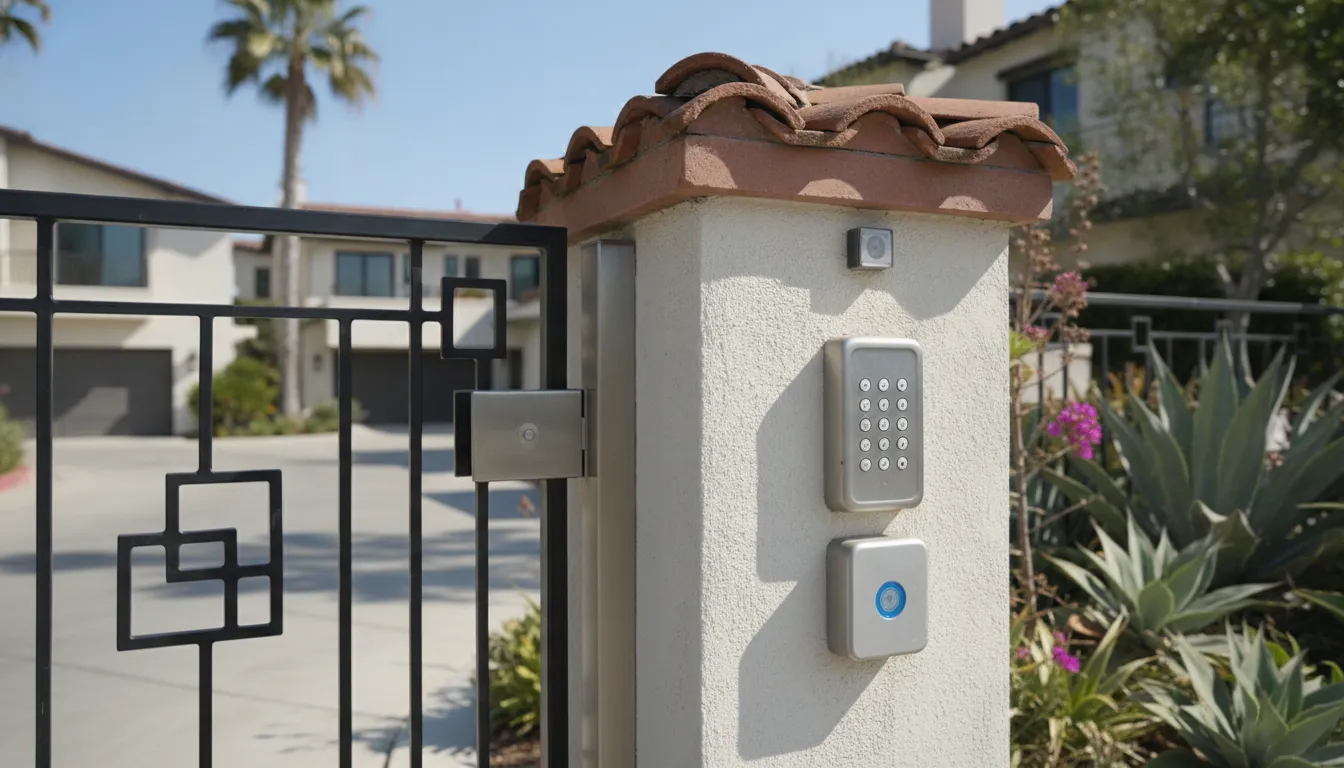
Gate access code rotation for property managers is the practical step after a resident moves out, a vendor finishes a job, or a shared code starts showing up in the wrong hands. The goal is not to rewrite the whole access system. It is to retire the credential that no longer belongs and confirm the gate still opens for the people who should be there. On an existing electric gate, that change lives in the keypad, card reader, telephone entry directory, or controller that already releases the operator.
Tell InteleGates which codes need to change
What gate access code rotation for property managers actually changes
A rotation replaces or retires access that should no longer work. It can be a keypad PIN, a temporary guest code, a staff code, or the authorization tied to a card, remote, or telephone-entry listing. The gate leaf, the operator, and the safety devices stay in place. Only the permission changes.
That distinction matters on a managed property. A move-out does not require a new operator. A painter who had the gate code for one week does not need a new keypad. The manager needs a current list of who still belongs, then a way to remove the rest without locking out residents who are still in good standing.
Shared codes are the usual weak point. One code for every resident, or one code for every vendor, is simple until somebody posts it, texts it, or keeps using it after the job ends. Unique codes, cards, or directory entries give the office something specific to retire. A gate keypad can hold assigned codes when the installed model supports them. A card or RFID credential can be disabled without telling every resident a new number.
Rotation is also not the same job as choosing the entry method. If the property is still deciding between a keypad, an intercom, cards, or telephone entry, that choice belongs in a planning conversation. Once the equipment is already at the gate, the service question is narrower: which credentials are active, which ones should stop working, and how the office will hand the new access to the right people.
Which events start gate access code rotation for property managers
Property managers do not need a calendar full of code changes. They need a short list of events that make an old credential unsafe or confusing.
- A resident, tenant, or employee moves out or leaves the account.
- A vendor, cleaner, landscaper, or contractor finishes work and no longer needs entry.
- A guest code, open-house code, or move-in code was meant to expire and did not.
- A code was written on a sign, shared in a group text, or used by someone the office cannot name.
- The same code has been in use long enough that former occupants may still know it.
- A lost card, missing remote, or departed staff member still has a working credential.
Start with the event, not with a guess about the circuit board. Ask who had access, how they entered, and whether that method was unique. A keypad code that every resident shares has to be replaced for the whole group. A card issued to one mover can be retired by itself. A telephone-entry listing can be removed from the directory without touching resident codes at all.
Keep the register current before the event if you can. The useful record is plain: name or unit, credential type, where it works, who issued it, and the date it should end. When that register is missing, the first site visit is often spent identifying what the controller still recognizes. That is slower than a planned change, and it raises the chance that a valid resident gets locked out during the cleanup.
Emergency entry is a separate note. A code used by fire, medical, or property staff for a qualifying emergency should not be mixed into the resident list and then forgotten. If that credential exists, record who is allowed to know it and review it on its own schedule. Do not post it at the gate.
How to sort credentials before anyone changes a code
A clean rotation starts with groups. Most properties already have more than one way through the gate, and each way has its own retirement path.
| Who needs entry | Typical credential | What to retire | What to confirm after the change |
|---|---|---|---|
| Current resident or tenant. | Unique keypad code, card, remote, or directory listing. | Only the departed unit's credential. | The remaining occupants still open the gate. |
| All residents on one shared code. | One keypad PIN. | The shared PIN, then issue the replacement through the office. | Old PIN fails and the new PIN works at the gate. |
| Short-term vendor or guest. | Temporary code or dated card. | That code or card as soon as the job or visit ends. | The credential no longer releases the operator. |
| Leasing, maintenance, or management staff. | Staff code, card, or remote. | The credential for the person who left. | Current staff still have a working method. |
| Visitor who calls a resident. | Telephone-entry directory listing. | The old resident's directory entry. | Calls route to the current occupant. |
| Emergency or after-hours response. | Restricted staff or emergency credential. | Only if it was exposed or the holder changed. | The approved holders still know the current method. |
Read the table as a sorting tool, not as a programming guide. Two properties can both have a keypad and still store codes differently. One controller accepts a unique code per unit. Another accepts a handful of codes for the whole site. The technician has to read the installed equipment before deleting anything.
Cards and remotes deserve the same sort. A lost remote is not fixed by changing the resident PIN. A departed employee who kept a card is not fixed by telling residents a new gate code. Match the retirement to the object that person actually used. The entry key card page covers issuance and retirement for card access, which is often the cleaner choice when a property is tired of shared numbers.
Visitor calling is the other path to keep separate. If guests reach a resident by phone and the resident releases the gate, the directory listing is the credential. Removing a moved-out resident from that directory stops calls from landing on the wrong phone. It does not, by itself, change keypad codes. The gate telephone entry service is the place to sort that directory from the codes stored in a keypad.
What the office can prepare before a technician arrives
Managers can do the inventory without opening the operator cover. A useful handoff fits on one page.
- List the gates that use the credential: vehicle entry, vehicle exit, pedestrian gate, or a second driveway.
- Name the people or units whose access should stop, and the date the change should take effect.
- Name the people who must keep access, including on-site staff and any approved vendor.
- Say how each person enters today: code, card, remote, directory call, or intercom.
- Note any code that was shared publicly or any credential that is missing.
- Hold the new code, card, or instruction until the office can deliver it to current occupants.
That list lets the technician test the right gate instead of guessing. It also keeps the office from announcing a new code before the old one has actually been removed. Tell current residents after the change is confirmed, through the channel the property already uses. Do not leave the new code on the keypad housing, on a leasing sign, or in an unlocked lobby.
If the property has several entries, say so. A code changed at the front keypad may still work at a rear keypad or a pedestrian gate if those devices store credentials separately. The same is true in reverse: disabling a card at one reader does not prove that a second reader, or an exit device, has stopped accepting it. Ask for each entry point to be checked.
Ron Albert brings 25+ years of hands-on gate and access-control experience. InteleGates works on the existing gate and the operator, controls, and access equipment already installed. The company is not a fence builder, and a rotation visit is not a request to replace the gate. Service covers Los Angeles County and Orange County.
What a technician should verify at the gate
The on-site check is diagnostic. The technician identifies the controller, keypad, reader, or telephone-entry unit that holds the credential. Then they confirm it is the device that releases the operator and make the requested change. After that, somebody has to try the old credential and the new one.
A complete check usually answers five questions:
- Does the retired code, card, or remote fail at every gate it used to open?
- Does the replacement work for a current resident or staff member at those same gates?
- Does a visitor call still reach the current occupant, if the site uses telephone entry?
- Does the gate reverse or stop as it did before the credential change?
- Are entrapment-protection devices still connected and allowed to operate?
That last question is not a code-administration detail. It is a gate-operator safety check that belongs with any visit that works around the operator. DASMA's UL 325 gate-installation guidance notes two protection rules. Since 2000, two means of entrapment protection have been required in each entrapment zone. On later operators, monitored external devices must stay connected for the operator to run. Changing a PIN does not remove that duty. If a sensor, edge, or monitored device is disconnected or damaged, the technician should treat that as its own finding. The DASMA sheet is the reference for that operator question: UL 325 and gate installations.
We diagnose the problem before recommending repair or replacement. Repair time depends on the cause of the problem, parts availability, and the condition of the gate and operator. A stuck code, a keypad that no longer talks to the controller, or an operator that will not run is a repair finding. It is not a reason to keep the old code active.
When a worn motor, sensor, control board, or track or chain component cannot be repaired, the technician replaces that component. A rotation visit should not turn into that repair unless the test shows the gate itself is not safe to leave in service. The office can ask for the credential result and any safety finding as two separate notes.
How rotation differs from a new access system
Some properties reach this question because the current setup cannot retire access one person at a time. That is a planning problem, and it should stay separate from the immediate rotation.
A shared keypad code can still be changed today. The office then has to distribute the replacement and accept that the next move-out will force the same group change. If that cycle is already causing lockouts and complaints, the longer conversation is whether the installed equipment can hold unique codes, cards, or a directory. The access control system service is where that equipment match belongs. A comparison of entry methods is already covered in the gate keypad vs intercom guide, and HOA-wide system choices are covered in gate access control for HOA properties.
Do not use a rotation article to pick a brand, add a new reader, or redesign visitor flow. Those projects need a look at traffic, the operator, and the users. Commercial sites with staff gates, loading areas, and visitor lanes have a different plan, which is why the commercial gate access control planning guide stays separate. This visit is done when the unwanted credential is dead and the approved users are back in.
Intercoms and remote controls can sit beside the code system. An intercom that calls a leasing office does not retire a vendor PIN. A spare remote in a desk drawer does not become safe because the keypad code changed. If those devices are part of the property's entry routine, include them in the inventory and point the service request at the right hardware. InteleGates covers intercom service and gate remote controls as their own work, not as a substitute for code retirement.
What to record after the change
The rotation is finished only when the office can explain it later. Write down the date, the gates tested, the credentials removed, the credentials issued, and who received the new access. Keep that note with the unit file or the vendor file. The next manager should not have to discover the change by standing at the keypad.
A simple record also prevents a second, conflicting change. If leasing issues a guest code on Friday and maintenance rotates the shared resident code on Monday, both teams need the same register. Otherwise each group will test a different number and assume the gate is broken.
Add the rotation habit to the property's maintenance routine rather than treating every change as an emergency. Move-outs, vendor closeouts, and lost credentials can be reviewed on a set weekday, with a technician called when the controller needs programming or when a test fails. Scheduled electric gate maintenance is the right time to confirm that readers, keypads, and safety devices still behave after those credential edits. The maintenance programs for property managers guide covers that broader visit. It does not replace the code list.
If the old code still opens the gate after the visit, call the office back before announcing the new one. If a current resident is locked out, treat that as an open service item, not as a training issue. And if the gate stops, reverses incorrectly, or a monitored safety device will not reset, stop using that entry and request repair through electric gate repair. We diagnose the problem before recommending repair or replacement. Repair time depends on the cause of the problem, parts availability, and the condition of the gate and operator.
Ask InteleGates to review the gate credentials
FAQ: gate access code rotation
Do we have to change every resident code at once?
Only if those residents share one code. A unique code, card, or remote can be retired for the person who left. A shared PIN has to be replaced for everyone who uses it, then issued again by the office.
Can the leasing office change the code without a technician?
Sometimes, if the installed keypad or controller gives the office a supported administration menu and the staff have been shown how to use it. If the steps are not documented for that equipment, guessing can lock out current residents or leave the old code active. A technician should make the change and test it.
Does a new gate code fix a lost remote or a missing card?
No. Retire the missing remote or card on its own. Changing the keypad PIN does not disable a different credential that the controller still accepts.
Should a rotation include the visitor telephone directory?
Yes, when moved-out residents are still listed. Remove or update those directory entries so visitor calls reach the current occupant. That update is separate from the keypad codes.
Will changing codes affect gate safety devices?
The code change should not disable sensors or edges, but the technician should confirm the operator still runs with its entrapment protection connected. A safety device that is off, damaged, or required for a monitored operator is a repair item, not part of the new PIN.
Bring the current credential list, the names that should lose access, and the entries that must keep working. InteleGates can review the existing gate and access equipment in Los Angeles County and Orange County and confirm the rotation at the gate.